













































-1.jpg)












.jpg)









Industrial PC Operating Systems
Industrial PC Operating Systems: Windows vs Linux vs Android
Windows, Linux or Android? The wrong answer costs you a redeployment.
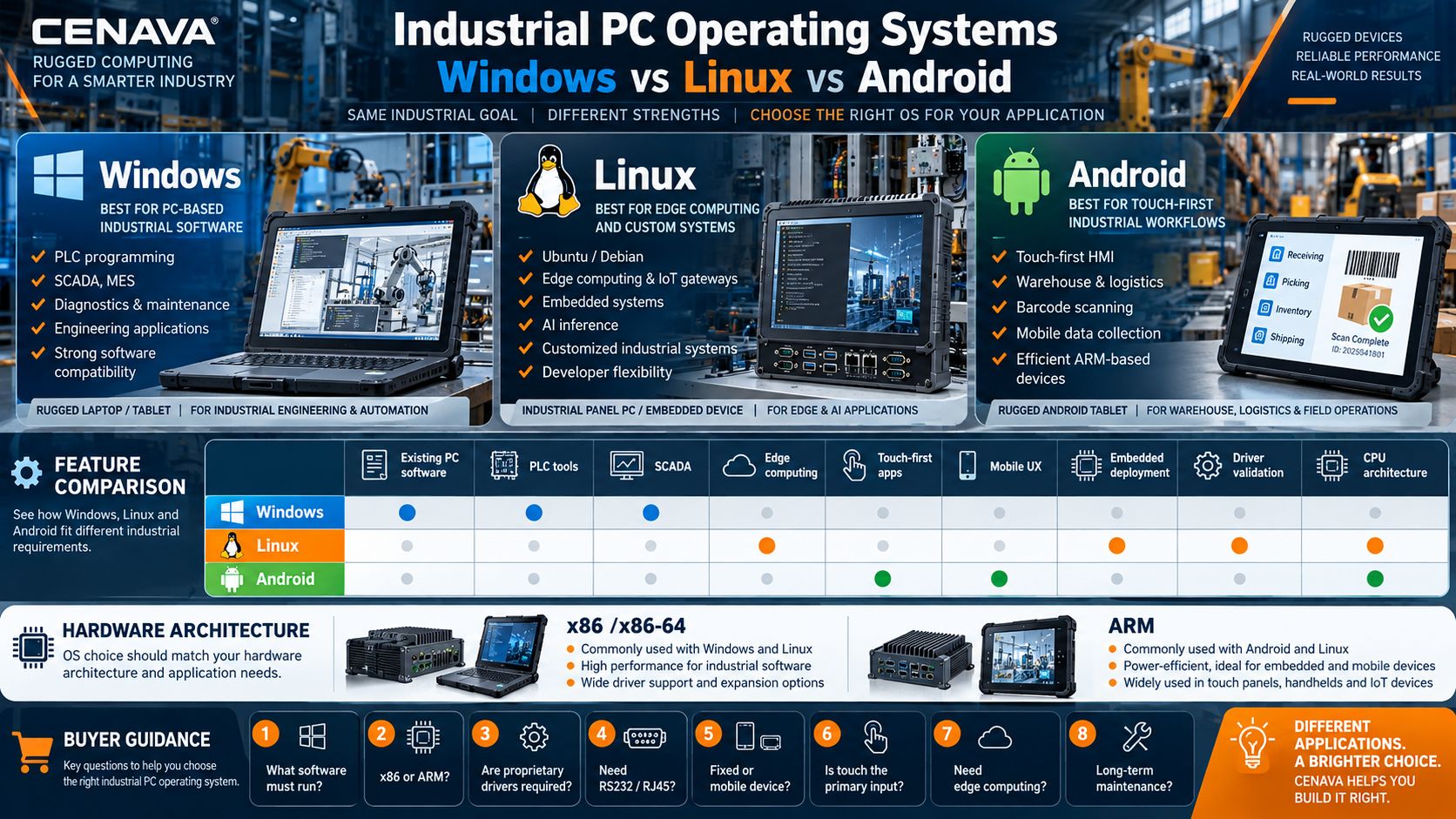
The honest rule: start with the software, not the hardware. Windows fits existing PC applications — PLC tools, SCADA, MES, engineering software. Linux (Ubuntu or Debian) fits edge computing, embedded systems and customized builds. Android fits touch-first HMI, warehouse and mobile data collection. We ship all three families across rugged tablets and panel PCs, plus laptops — so the choice follows your application, not our inventory.
What Operating Systems Are Used in Industrial PCs?
Modern industrial computers run one of four operating-system approaches. Architecture matters as much as the OS name — more on that below. The short version:
| Operating System | Best Fit | Main Advantage | Typical Industrial Applications |
|---|---|---|---|
| Windows 11 / Windows 10 | PC-based industrial software | Broad software compatibility | PLC programming, SCADA, MES, diagnostics |
| Ubuntu Linux | Edge and customized systems | Flexible open ecosystem | Edge computing, gateways, AI, IoT |
| Debian Linux | Stable embedded deployments | Conservative package ecosystem | Embedded systems, custom industrial terminals |
| Android | Touch-first applications | Mobile UX and efficient ARM support | Warehouse, logistics, HMI, data collection |
We build for both x86 and ARM, and we will tell you plainly when your software pins you to one of them.
Windows for Industrial PCs
Windows remains one of the most widely used operating systems for industrial PCs because many commercial engineering and automation applications were originally developed for the Windows environment.
CENAVA Windows industrial devices currently include Windows 10 and Windows 11 platforms. Models such as W10Y and W18Y also offer Ubuntu and Debian as project options, giving integrators more flexibility when one hardware platform must support different software deployments.
When Should You Choose Windows?
Windows is particularly suitable when the industrial PC needs to run existing desktop applications.
Typical workloads include:
PLC Programming
Many PLC configuration and engineering tools are designed primarily for Windows.
SCADA Systems
Windows is common in industrial monitoring and supervisory-control environments.
MES and ERP
Factories that already use Windows-based MES or enterprise software may find Windows easier to integrate.
Equipment Diagnostics
Maintenance technicians often use proprietary Windows applications supplied by machine or vehicle manufacturers.
Engineering Software
CAD viewers, configuration utilities and industrial analysis tools frequently require Windows.
Advantages of Windows Industrial PCs
The main advantage of Windows is application compatibility.
Industrial organizations often have years of existing software, drivers and engineering tools. Choosing Windows can reduce the amount of redevelopment required when deploying a new industrial computer.
Windows also offers broad support for:
USB peripherals, Ethernet adapters, serial communication software, enterprise authentication, VPN clients, remote management tools and conventional office applications.
Windows 11 vs. Windows 10 for Industrial PCs
Windows remains the default for industrial PCs because the engineering software was written for it. Years of existing applications, drivers and tools mean a Windows deployment usually needs less redevelopment than anything else. We ship Windows 10 and Windows 11 platforms; W10Y and W18Y also take Ubuntu and Debian as project options when one hardware platform must serve different software stacks.
Windows 11 for new deployments; Windows 10 when an existing application or driver has not been validated on 11. Either way, test the complete software stack before switching — CPU architecture alone proves nothing.
Linux for Industrial PCs
Linux is widely used in embedded computing, industrial gateways, edge computing and customized automation systems.
Unlike a conventional desktop deployment, Linux gives developers significant control over the software environment.
This makes it attractive for OEM, ODM and system-integration projects.
CENAVA currently provides Linux options on selected rugged computers and tablets. W10Y and W18Y list Ubuntu and Debian options, while the RK3588-based A10R supports Android with Ubuntu available as an alternative configuration.
Ubuntu for Industrial PCs
Linux gives developers control over the software environment — attractive for OEM, ODM and system-integration work. Our current options: W10Y and W18Y list Ubuntu and Debian 12 as project options (W18Y offers Ubuntu 20.04.6 or 22.04.5); the RK3588-based A10R runs Android with Ubuntu 24.04 as an alternative.
Ubuntu when the project wants Linux with a large ecosystem and easy deployment — edge computing, IoT gateways, computer vision, dashboards, robotics. Debian when the system should change as little as possible for years — embedded terminals, gateways, dedicated data-collection appliances. The real decider is your dependency list and your team's Linux experience; send us both and we will recommend one.
Android for Industrial PCs
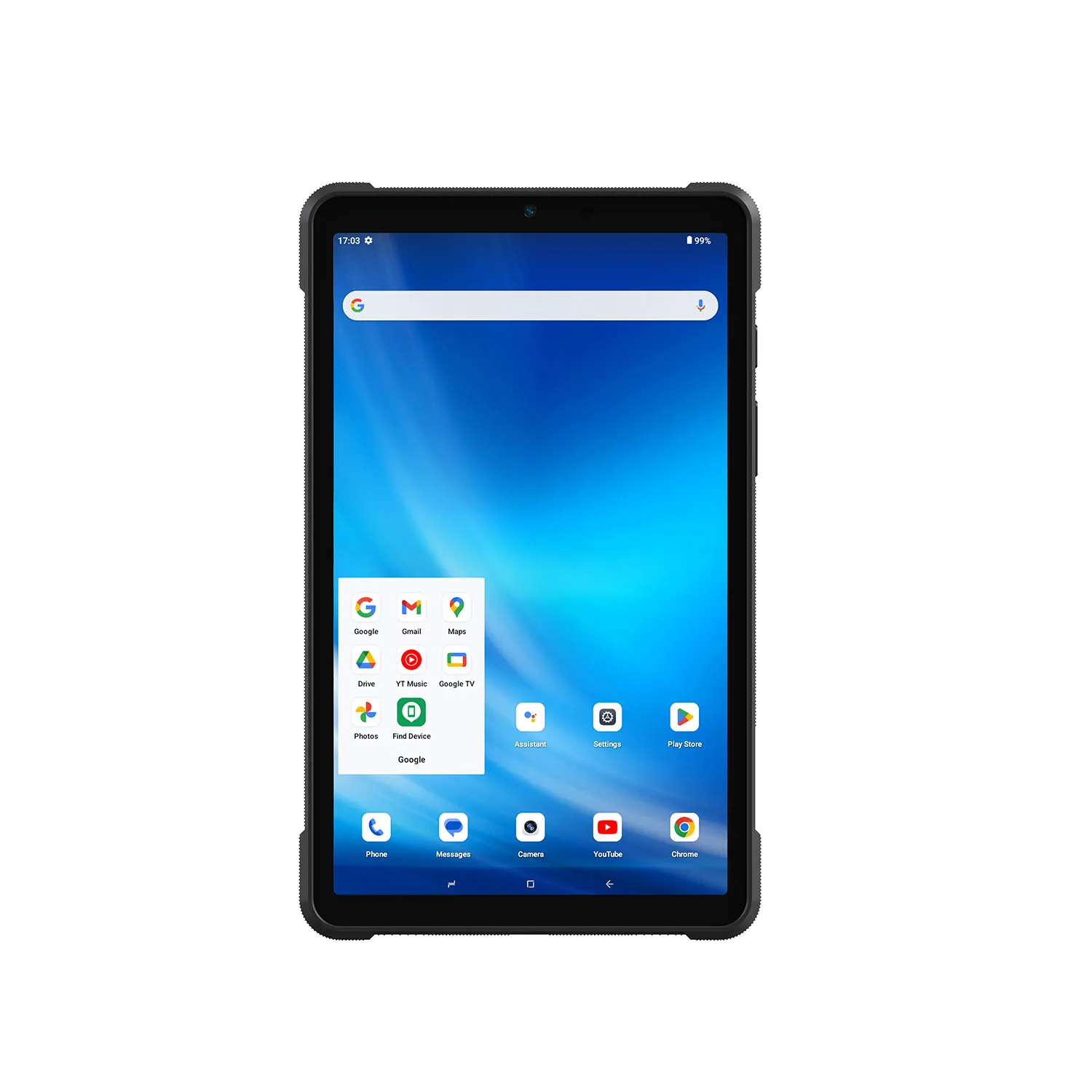
Android is not just phones. On industrial touchscreens it is often the fastest path: warehouse management, logistics terminals, production data collection, digital forms, barcode scanning, vehicle terminals, custom HMIs. On ARM hardware it pairs computing performance with low power draw — which is why our rugged Android tablets outlast comparable desktop-class builds on battery.
Our Android range covers rugged tablets and panel PCs: the RK3568-based GK10R and GK21R panels, and tablets like the A10R that combine Android with Ethernet, RS232, USB 3.0 and M.2 expansion.
Windows vs. Linux vs. Android for Industrial PCs
The operating systems solve different problems.
| Requirement | Windows | Linux | Android |
|---|---|---|---|
| Existing PC software | Excellent | Limited unless Linux version exists | Limited |
| PLC engineering tools | Excellent | Depends on vendor | Limited |
| SCADA | Excellent | Strong for supported platforms | Limited |
| Edge computing | Good | Excellent | Good |
| AI development | Good | Excellent | Good |
| Touch-first HMI | Good | Good | Excellent |
| Warehouse apps | Good | Possible | Excellent |
| Custom embedded system | Good | Excellent | Good |
| Open-source development | Moderate | Excellent | Strong |
| ARM hardware | Limited by platform | Excellent | Excellent |
| Desktop peripherals | Excellent | Excellent | Good |
| System customization | Moderate | Excellent | Good |
There is no universally best industrial PC operating system.
The correct choice depends primarily on software compatibility and deployment requirements.
Best Operating System for Industrial Automation
For industrial automation, start with the automation software.
If PLC programming, SCADA or machine configuration software requires Windows, choose Windows.
If the industrial PC functions primarily as a gateway, protocol converter, local server or edge-computing node, Linux may provide greater flexibility.
Android is generally more suitable for operator-facing touch terminals than engineering workstations.
Best Operating System for HMI
HMI requirements vary significantly.
A fixed machine HMI running a dedicated custom interface can work well with Android or Linux.
A more complex HMI requiring traditional Windows software may require Windows.
For browser-based HMI systems, all three operating-system families can be viable if the required browser and hardware drivers are supported.
The decision should therefore be based on the HMI software rather than the display itself.
Best Operating System for Industrial Panel PCs
Industrial panel PCs are often installed permanently on machines, walls, control cabinets or production workstations.
Windows is suitable for:
Manufacturing software, SCADA, production dashboards, machine configuration and conventional PC applications.
Android is suitable for:
Touch-first operator terminals, kiosks, data collection and custom applications.
Linux is suitable for:
Custom HMI software, embedded applications, gateways and specialized system-integration projects.
CENAVA's current Industrial Panel PC category includes Windows, Android and Linux configurations across selected models.
Best Operating System for Rugged Industrial Tablets
Mobile industrial tablets have different requirements from fixed panel PCs.
Windows Rugged Tablets
Choose Windows when technicians need:
Desktop software, diagnostic tools, PLC applications, Ethernet/RS232 software or conventional enterprise applications.
CENAVA W10Y, for example, combines Windows 11 with Gigabit RJ45, DB9 RS232, USB-A, USB-C and HDMI. Ubuntu and Debian are also available as alternative operating-system configurations.
Android Rugged Tablets
Choose Android when workers primarily use:
Mobile forms, barcode scanning, inventory applications, inspection apps, GPS or customized enterprise applications.
Linux Rugged Tablets
Choose Linux when the tablet is part of a customized embedded or edge-computing solution.
The A10R RK3588 platform is one example that supports Android with Ubuntu available as an alternative, while also providing Gigabit Ethernet, RS232, USB 3.0 and M.2 SSD expansion.
Operating System and CPU Architecture
Intel x86 platforms run Windows and conventional Linux well. ARM platforms (Rockchip, MediaTek) run Android and ARM Linux — often with better performance per watt.
The warning that saves projects: software compiled only for x86 cannot automatically run on ARM, and vice versa. Verify your application's architecture before choosing hardware. If you are not sure, send us the software name — we will check.
Industrial PC Operating Systems and Drivers
Driver compatibility is one of the most important factors in industrial deployment.
An industrial computer may contain:
An industrial computer carries touch controllers, Ethernet controllers, serial ports, cellular modems, barcode scanners, RFID modules, cameras and GNSS receivers. The OS is only as good as the drivers behind that list.
Our standing rule: validate Linux configurations — Ubuntu or Debian — for touch and wireless, camera and optional modules during sample testing, not after mass production. We run driver validation with your sample before production, because after mass production is too late.
Industrial PC Operating Systems and Legacy Software
Factories run equipment for 10, 15, even 20 years. The newest OS is not always the right one. A machine may depend on an older driver, a proprietary Windows application, a specific Java version, a legacy browser component or a serial communication library.
So: test whether all required software and peripherals still function before upgrading anything. Replacing a stable legacy system purely to obtain a newer OS creates unnecessary integration risk — we would rather keep you on the version that works than sell you the one that doesn't.
Industrial PC Security
Industrial operating-system security should be considered during initial deployment rather than added later.
Security belongs in the initial deployment, not as a retrofit. Windows integrates with enterprise identity and management tools; Linux builds highly controlled systems with only required services installed; Android enterprise deployments run under MDM policies. The strongest approach depends on how the device connects to your wider network — tell us the topology and we will flag the exposure points.
For edge computing — computer vision, local AI inference, protocol conversion, sensor aggregation — Linux is the common choice for its development tools and container support. High-performance ARM works too: our RK3588-based A10R combines Android/Ubuntu options with Gigabit Ethernet, RS232 and expandable M.2 storage for exactly these projects.
Industrial PC Operating Systems for Machine Vision
Machine-vision systems may use Windows or Linux.
Windows is common when the camera vendor, inspection software or SDK is Windows-based.
Linux may be preferable when developers build their own image-processing or AI pipeline.
The operating system should therefore be selected after confirming:
Camera drivers, SDK support, GPU/NPU support, AI framework compatibility and required communication interfaces.
Industrial PC Operating Systems for MES
MES terminals frequently use Windows or Android.
Windows is suitable when the MES application is a conventional desktop program.
Android is suitable when the MES interface is delivered through a custom mobile application.
Browser-based MES systems can potentially run on Windows, Linux or Android depending on browser and peripheral requirements.
Industrial PC Operating Systems for Warehouses
Warehouse applications often prioritize touch input, barcode scanning and long operating hours.
Android is particularly common for mobile WMS workflows.
Windows may still be required when warehouse software was originally designed for desktop PCs.
For fixed packing, receiving or dispatch stations, either Windows or Android industrial panel PCs can be appropriate.
Industrial PC Operating Systems for Field Service
Field technicians frequently require Windows because equipment manufacturers often supply Windows-based diagnostic tools.
For inspection and work-order applications, Android may provide a simpler mobile workflow.
Linux is less common for general field-service users but can be valuable when technicians work with customized embedded or networking systems.
Industrial PC Operating Systems for OEM/ODM Projects
Changing the OS late in development affects drivers, application development, CPU selection, storage, boot time, security, peripheral modules and certification testing.
The sequence we run with every project: Application requirements → operating system → CPU architecture → industrial interfaces → peripheral modules → enclosure → testing. That order is what keeps the hardware from outrunning the software.
Windows Industrial PC or Linux Industrial PC: Which Is Better?
Neither is universally better.
Choose Windows when compatibility with existing industrial software is the highest priority.
Choose Linux when customization, embedded development or edge computing is more important.
Choose Android when the main requirement is an efficient, touch-first industrial application.
The best system is the one that supports the required software and hardware reliably throughout the expected deployment lifecycle.
How to Choose an Industrial PC Operating System
The ten questions that settle it:
| Question | Why It Matters |
|---|---|
| What software must run? | Determines OS compatibility |
| Is the application x86 or ARM? | Determines processor architecture |
| Are proprietary drivers required? | Can limit OS options |
| Is RS232/RJ45 communication required? | Driver and application support must be verified |
| Is the device fixed or mobile? | Affects interface and UX requirements |
| Is touch the primary input? | Android may be attractive |
| Is edge computing required? | Linux is often strong |
| Is enterprise Windows software required? | Windows is usually simplest |
| Is long-term OS maintenance required? | Update strategy matters |
| Are custom peripherals used? | Driver validation is essential |
CENAVA Industrial PC Operating System Options
CENAVA currently provides multiple operating-system platforms across its industrial computing portfolio.
Why Choose CENAVA for Multi-OS Industrial Computing?
CENAVA provides both Intel x86 and ARM industrial computing platforms.
This allows project buyers to select hardware based on software requirements rather than being locked into a single operating-system ecosystem.
Selected products support Windows, Android, Ubuntu or Debian, while the product range includes rugged tablets, industrial panel PCs, rugged laptops and other industrial computing devices.
Industrial interfaces available across selected platforms include RJ45 Ethernet, RS232, USB, HDMI and POGO expansion.
This makes it possible to build industrial systems around both software compatibility and equipment connectivity.
Frequently Asked Questions About Industrial PC Operating Systems
1. What operating systems do industrial PCs use?
Industrial PCs commonly use Windows, Linux or Android.
Windows is common for PC-based industrial software, Linux for embedded and edge-computing applications, and Android for touch-first industrial workflows.
2. Is Windows good for industrial PCs?
Yes.
Windows is particularly useful when industrial software, PLC tools, diagnostic applications or enterprise systems require the Windows environment.
3. Is Linux better than Windows for industrial PCs?
Depends on the application. Linux for customization and embedded/edge work; Windows for compatibility with existing commercial PC software. We sell both — this answer costs us nothing.
4. Which Linux distribution is best for industrial PCs?
Ubuntu and Debian are both common choices.
Ubuntu is convenient for development and edge computing, while Debian can be attractive for stable customized embedded deployments.
The best distribution depends on software dependencies and available drivers.
5. Can industrial PCs run Android?
Yes.
ARM-based industrial computers and panel PCs commonly use Android for touchscreen HMIs, warehouse systems and data-collection applications.
6. Can one industrial PC support both Windows and Linux?
Some industrial PC hardware can support multiple operating systems, but compatibility must be verified.
Drivers for touch, Ethernet, cellular modules, cameras and industrial peripherals should be tested for each OS.
7. Does CENAVA support Ubuntu?
Yes.
Selected CENAVA rugged and industrial computing platforms support Ubuntu as an optional operating system.
8. Does CENAVA support Debian?
Yes.
Selected CENAVA Intel rugged computing platforms, including W10Y and W18Y, list Debian 12 as an available project option.
9. Which OS is best for an industrial HMI?
Android works well for custom touch-first interfaces.
Windows is suitable when the HMI software requires Windows.
Linux is well suited to customized embedded HMI systems.
Software compatibility should determine the final choice.
10. Which industrial PC operating system should I choose?
Start with the application, not the hardware. Windows for established PC software and engineering applications; Linux for edge computing and embedded or highly customized systems; Android for touch-first mobile and HMI applications. Then verify CPU architecture and drivers, interfaces and peripherals before production — or send us the application name and we will map it.



