













































-1.jpg)












.jpg)









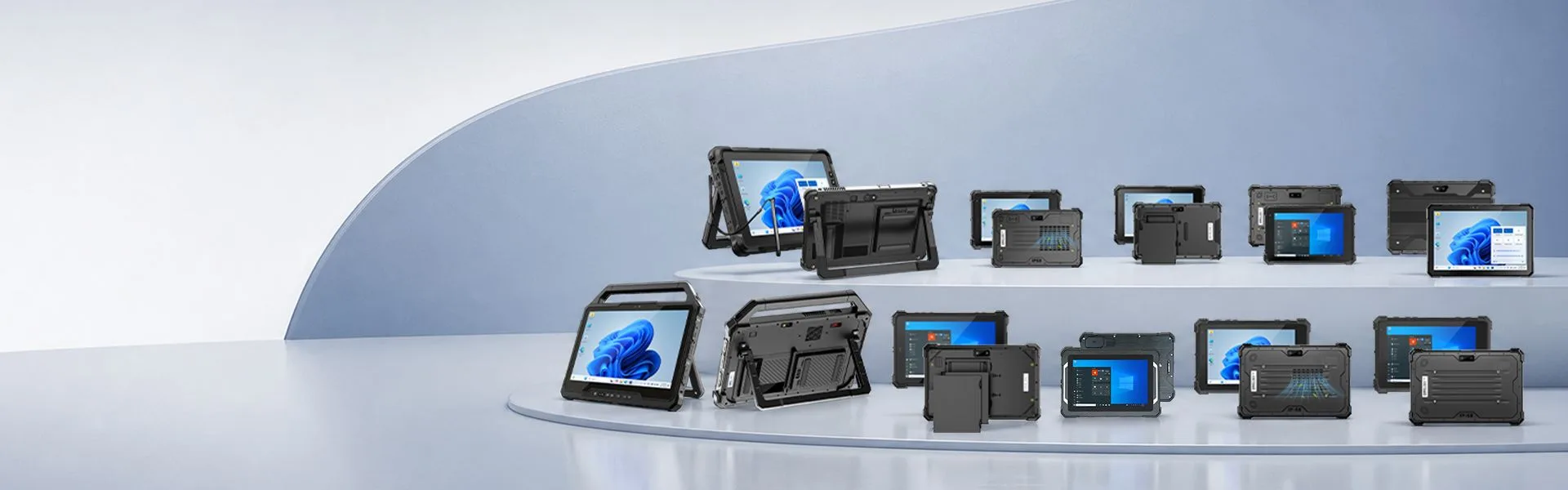
Windows Rugged Tablet
CENAVA is a professional Windows rugged tablet manufacturer providing industrial tablets with Windows 10/11, Intel processors, IP68 protection, barcode scanning
Windows Rugged Tablet Manufacturer
Most buyers who land on this page already know they need Windows — the question is which configuration. We're a Shenzhen OEM/ODM factory founded in 2003, and this page covers our 16 current Windows models, from the Intel N100 up to Core Ultra 7, sealed from IP65 to IP68.This lineup runs from the Intel N100 (fine for scanning and data entry) up to Core Ultra 7 (for diagnostics, CAD viewers and on-device databases), sealed from IP65 to IP68 and tested to MIL-STD-810H — 1.22 m drops onto concrete, operating from -20 °C to 60 °C.
Every model runs Windows 10 or 11 (several also support Ubuntu/Linux), with sunlight-readable displays and optional barcode scanners, NFC and RFID. If none of the 16 standard configurations fits, tell us your software, your environment and your target quantity — we'll tell you within 48 hours whether a custom build makes sense, and what it costs.
Compare CENAVA Windows Rugged Tablets
Compare CENAVA Windows rugged tablets by screen size, Intel processor, operating system, IP rating, battery design, 5G connectivity, Ethernet, RS232 and optional data-capture modules. Available configurations may vary by model, destination market and project requirements.
| Model | Screen | Processor / SoC | Operating System | IP Rating | Battery Capacity | Battery Removable |
|---|---|---|---|---|---|---|
| W30U Pro | 13.3" | Core Ultra 5 125U / Ultra 7 155U | Windows 11; Ubuntu optional | IP65 | 8300mAh + 300mAh, 11.4V | Yes; hot-swap |
| W30U | 13.3" | Core i5-1235U / i7-1255U | Windows 11; Windows 10/Ubuntu optional | IP65 | 8300mAh + 300mAh, 11.4V | Yes; hot-swap |
| W30NS | 13.3" | Intel Processor N150 | Windows 11 Pro; Windows 10 optional | IP65 | 8300mAh + 300mAh, 11.4V | Yes; hot-swap |
| W109U | 10.95" | Core i5-1235U / i7-1255U | Windows 11; Windows 10/Ubuntu optional | IP67 | 8300mAh + 300mAh, 11.4V | Yes; hot-swap |
| W109NS | 10.95" | Intel Processor N150 | Windows 11; Windows 10 optional | IP67 | 8300mAh, 11.4V | Yes; hot-swap optional |
| W10Y | 10.1" | Core i5-10210Y / i7-10510Y | Windows 11; Windows 10/Linux optional | IP68 | 5550mAh, 7.6V | No |
| W10N Pro | 10.1" | Intel Processor N100 | Windows 11; Windows 10 optional | IP68 | 5550mAh, 7.6V | No |
| W10N | 10.1" | Intel Celeron N5100 | Windows 10; Windows 11/Ubuntu optional | IP68 | 5550mAh, 7.6V | No |
| W10NX | 10.1" | Intel Celeron N5100 | Windows 10; Windows 11/Ubuntu optional | IP67 | 7700mAh, 7.6V | Yes |
| W10J | 10.1" | Intel Celeron N5100 | Windows 11 | IP65 | 5000mAh + 700mAh, 7.4V | Yes; hot-swap |
| W18Y | 10.1" | Core i5-10210Y | Windows 11; Windows 10/Linux optional | IP68 | 5550mAh, 7.6V | No |
| W80Y | 8" | Core i7-10510Y | Windows 11; Windows 10/Linux optional | IP68 | 5550mAh, 7.6V | No |
| W80N | 8" | Intel Celeron N5100 | Windows 10; Windows 11/Ubuntu optional | IP68 | 5550mAh, 7.6V | No |
| W22K | 12.2" | Core m3-6Y30 | Windows 10 | IP67 | 6300mAh + 1000mAh, 7.4V | Yes; hot-swap |
| W11H | 10.1" | Intel Atom x5-Z8350 | Windows 10 | IP67 | 8000mAh, 3.7V | No |
| W75H | 7" | Intel Atom x5-Z8350 | Windows 10 | IP67 | 7500mAh, 3.7V | No |
Three shortcuts through this table. Need IP68 on a budget: the W10N Pro (N100) is the lowest-cost IP68 model. Running two shifts on one device: the W10NX and W10J are the only 10.1-inch models with removable batteries — the W10J adds hot-swap. Heavy local software: anything above the W30U row gives you 12th-Gen Core or Core Ultra with replaceable DDR5, which the 10.1-inch sealed models don't offer.
Frequently Asked Questions About Windows Rugged Tablets
1. Do I actually need a rugged tablet, or will a consumer tablet in a case do?
A protective case adds drop resistance but doesn't change the device inside.In our repair records, consumer tablets in field use come back for the same three failures: charging ports clogged with dust, screens unreadable outdoors, and batteries that stop holding charge below 0 °C. A protective case fixes none of these because they're all inside the enclosure.A rugged tablet solves all three at the hardware level — sealed ports (IP65–IP68), 500+ nit sunlight-readable panels, and batteries rated for -20 °C operation. If your device lives in a warehouse or a truck cab, buy the rugged one. If it lives in an office, save your money.
2. Why choose a Windows rugged tablet instead of an Android rugged tablet?
Choose Windows when your work depends on it: existing desktop applications, PC-based diagnostic tools, device drivers, or enterprise software that only ships for Windows. Choose Android when your workflow is apps, scanning and MDM-managed fleets — it boots faster, costs less per unit, and the battery lasts longer on the same workload. Over the past two years, roughly one in three buyers who contacted us for a Windows model ended up ordering Android after we checked their software list. Email your application list to tom@cenavapc.com and we'll tell you which platform fits — including when the answer is not our most expensive option.
3. Do CENAVA rugged tablets support Windows 10 and Windows 11?
Both, on most models. One thing worth knowing before you order: Windows 10 reached end of support in October 2025, so we ship Windows 11 by default and keep Windows 10 images available for legacy software that can't move yet. If that's your situation, tell us which application is holding you back — we'll confirm driver support on the exact model before you commit.
4. Are all CENAVA Windows rugged tablets IP68 rated?
No — and you probably don't need IP68 everywhere. Six models are IP68 (W10Y, W10N Pro, W10N, W18Y, W80Y, W80N), six are IP67, and four are IP65. IP65 handles rain, washdown and dusty warehouses; IP67 survives a 30-minute dunk; IP68 is for devices that get dropped in water and stay there. Filter the comparison table below by IP rating, or tell us the worst environment the tablet will see and we'll point you at the cheapest model that covers it.
5. Which processor should I choose?
Match it to your heaviest application, not your average one. Intel N100/N150 handles WMS clients, barcode scanning, browser-based forms and data entry without breaking a sweat. Step up to Core i5/i7 (or Core Ultra) when you run diagnostic suites, CAD or GIS viewers, local SQL databases, or more than three heavyweight applications at once. Rule of thumb from our support logs: if the software's publisher lists "Core i5 recommended" on the spec sheet, don't buy the N-series — returns for underpowered CPUs cost everyone more than the upgrade.
6. Can a Windows rugged tablet run existing desktop software?
Almost always, if three things line up: the Windows version, the CPU architecture (x86 — all our Windows models are), and the drivers for whatever hardware you plug in. The failure mode we see most often isn't the software — it's a 15-year-old USB-to-serial adapter or a proprietary dongle with no Windows 11 driver. Send us your software list and connected equipment before ordering; we'll flag anything risky and can pre-install and test your image on the production units.
7. What industrial interfaces are available?
Depends on the model, but the common set is USB-A, USB-C, HDMI, Gigabit Ethernet, RS232, audio, SIM/TF slots and POGO PIN docking contacts. Two that buyers forget to ask about: RS232 still the only way to talk to a lot of PLCs, scales and legacy instruments — check pinout and voltage, we offer RS232, and the POGO PIN dock, which is what makes vehicle mounting and hot-desk charging practical. The comparison table and each product page list interfaces per model; if you need a port combination you don't see, that's exactly what the ODM line is for.
8. Can a Windows rugged tablet be used in a vehicle?
Yes, but the tablet is the easy part — the mount, power and wiring decide whether the install survives month three. Check four things before you order: input voltage range (truck power spikes; our vehicle docks accept 9–36V), vibration rating of the mount, cable strain relief, and GNSS antenna placement if you track vehicles. Screen brightness matters more than you think — a 400-nit panel is unreadable through a windshield at noon. We've seen fleets standardize on 700+ nit for yard trucks.
9. Can CENAVA customize a Windows rugged tablet?
Customization is our core business. Ranked by request volume: logo and packaging, pre-installed Windows images, RAM/SSD upgrades, cellular band configuration, barcode/RFID modules, interface changes, custom docks and vehicle mounts, and full enclosure or board-level redesign. Cosmetic changes (logo, image, memory) have no minimum order; board or enclosure changes carry an NRE fee quoted per project. Tell us what you're trying to do and the quantity — we'll tell you which tier your request falls into, and if it's cheaper to just buy the standard model, we'll say that too.



