













































-1.jpg)












.jpg)










Debian Rugged Tablet
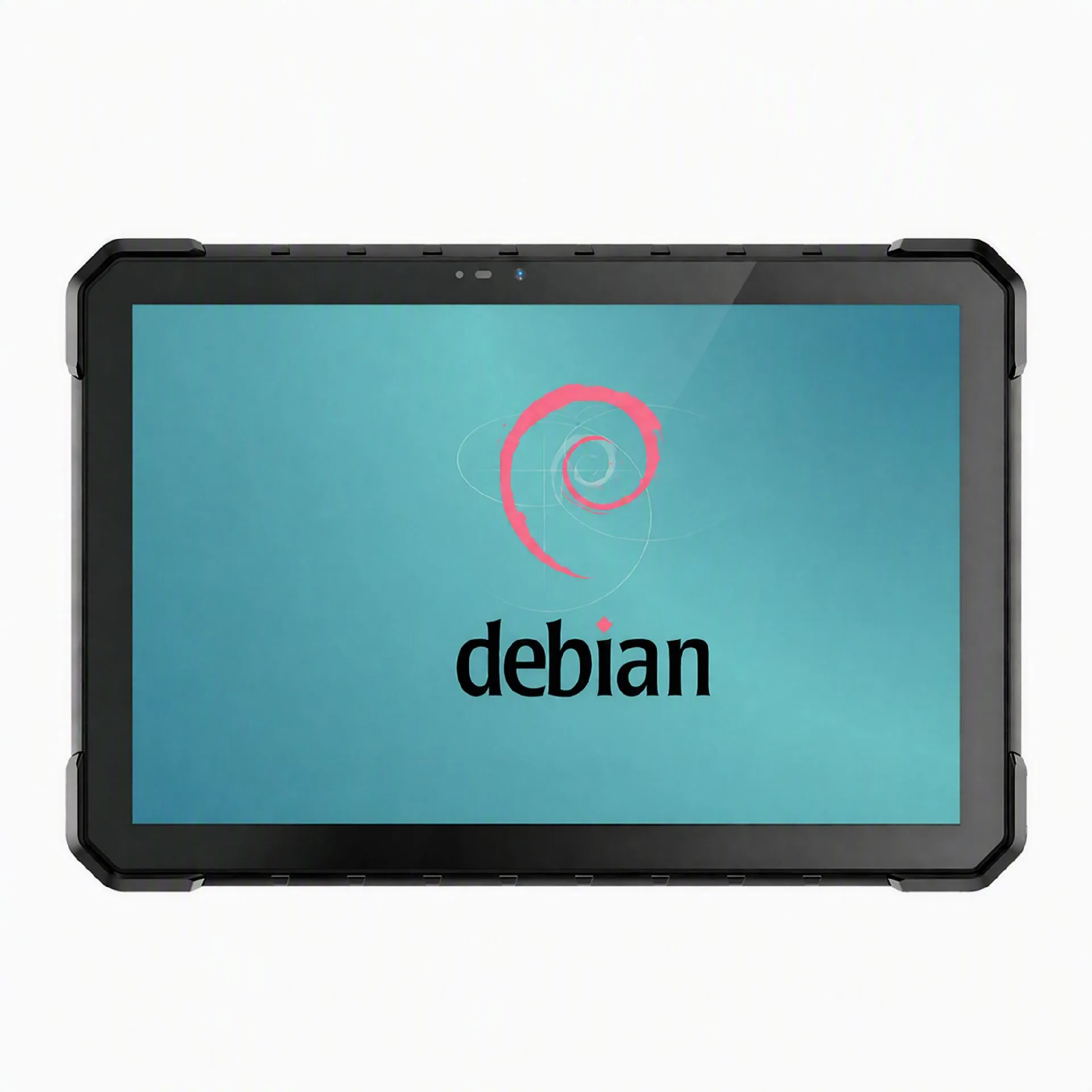
Debian Rugged Tablet for Industrial Applications
A Debian rugged tablet combines rugged hardware with Debian GNU/Linux for industrial software, equipment diagnostics and mobile data collection. CENAVA offers rugged hardware options for OEMs and system integrators planning Debian-based tablet projects.
Start with your application, required Debian release and working environment. The W80Y 8-inch platform shown above has been evaluated with Debian 12; tell us your target release and peripherals, and we will confirm support before quoting. We can discuss the screen size, processor, interfaces and accessories needed for your deployment.
Configuration requirements may include:
A compact display for mobile work or a larger screen for technical drawings.
USB, Ethernet or RS232 connections for industrial equipment.
Touchscreen operation and suitable display brightness.
Wireless communication and optional data-capture modules.
OEM branding, mounting accessories and a defined software image.
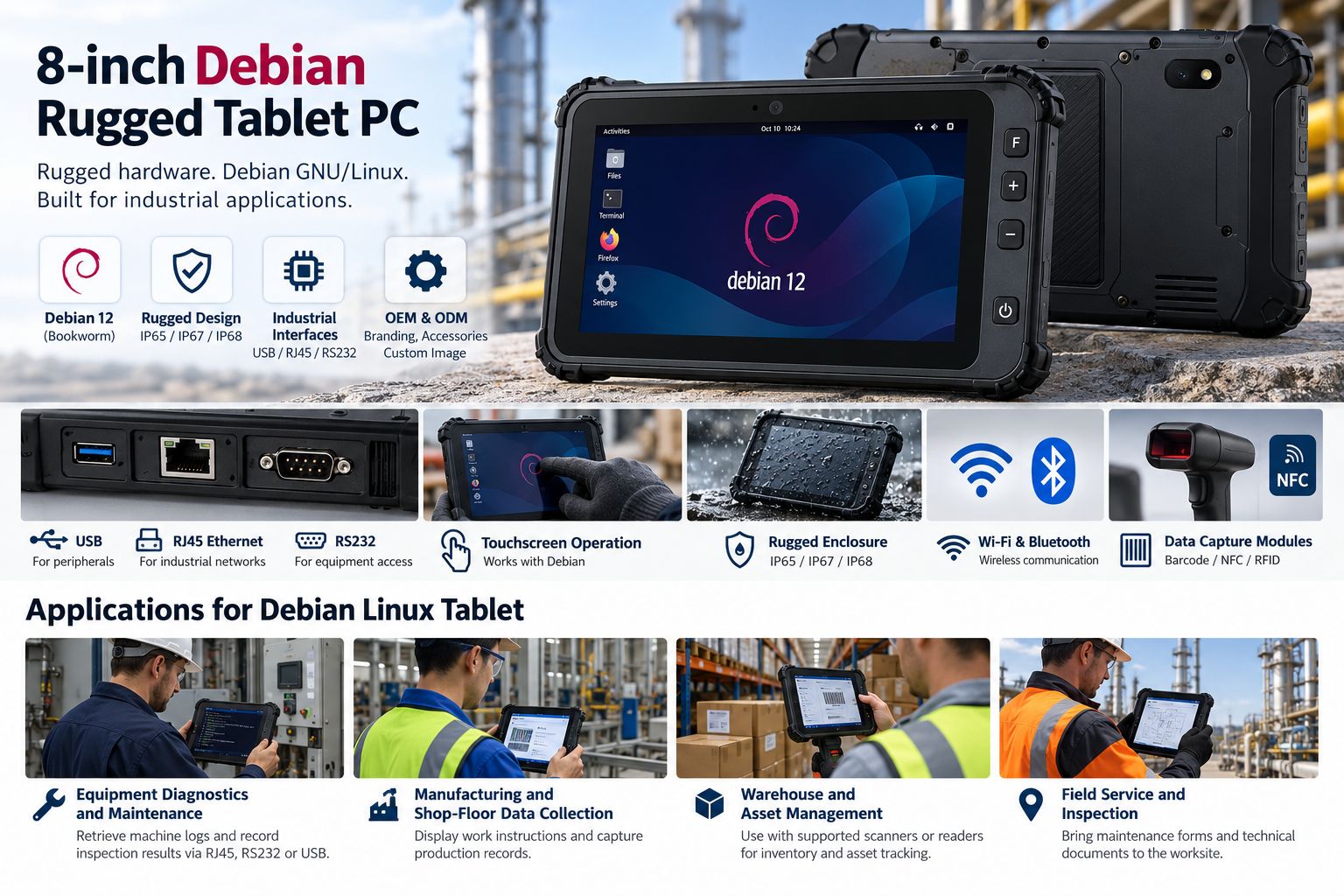
Why Choose CENAVA for Your Debian Rugged Tablet Project?
Hardware Selection Around Your Application
A maintenance tool and a warehouse terminal place different demands on a tablet. Share the software you intend to run, its processor architecture and the devices it needs to connect to. These details help narrow the hardware selection before sample testing. Two paragraphs of detail now save a wasted sample round later.
Industrial Interfaces for Equipment Access
Selected CENAVA platforms offer interfaces such as USB, RJ45 Ethernet and RS232 — the W80Y offers all three. For a Debian tablet PC used in diagnostics, the connection method matters as much as processor performance. Confirm the port configuration, connected equipment and Linux driver requirements together.
Rugged Hardware for the Working Environment
CENAVA's wider tablet range includes IP65, IP67 and IP68-rated models. For a Debian project, select an enclosure with documented protection, temperature limits and mounting options suitable for the job. The applicable specifications depend on the chosen hardware configuration — ask us for the model's test documentation.
OEM and ODM Configuration Options
Discuss branding, memory, storage, accessories and hardware options with CENAVA. Where a project requires a customized Debian image, define the software, drivers, installation process and recovery requirements during the technical review. The customization scope is agreed for each project.
Sample Evaluation Before Fleet Deployment
Run the actual workflow on a sample: starting the application, connecting equipment, entering data and recovering after a restart. Include touchscreen behavior, wireless reconnection and suspend/resume in acceptance testing. Record the hardware configuration and software versions approved for deployment. Ten minutes of suspend/resume testing catches what a datasheet never will.
Applications for a Debian Linux Tablet
Equipment Diagnostics and Maintenance
Run compatible Linux service tools, retrieve machine logs and record inspection results beside the equipment. On the W80Y, technicians typically do this over RJ45, RS232 or USB. Specify Ethernet, serial or USB access according to the machines your technicians maintain.
Manufacturing and Shop-Floor Data Collection
A compatible application can display work instructions, capture production records or run a browser-based dashboard — check touchscreen usability with the exact forms and controls operators use throughout a full shift, not a demo screen.
Warehouse and Asset Management
Combine a Linux-compatible inventory application with a supported scanner or reader. Test the complete data path from a scanned code to the correct field in your warehouse system. We have seen projects fail on that last field mapping, not on the scan.
Field Service and Inspection
Bring maintenance forms and technical documents to the worksite, and for applications that must operate without coverage, define local storage and synchronization behavior in the software first — then test the whole workflow on site before deployment.
Frequently Asked Questions About Debian Rugged Tablets
1. What is a Debian rugged tablet?
It is an industrial tablet configured to run Debian GNU/Linux — a rugged enclosure plus a Linux software environment for tasks such as equipment servicing, data collection and industrial application development. Supported functions depend on the hardware and installed system image.
2. Can any Windows rugged tablet run Debian?
No. A compatible processor is only part of the requirement. Graphics, touch input, wireless modules, cameras and power management also need suitable Linux support. A Windows specification sheet alone does not establish full Debian compatibility.
3. Which Debian version should I specify?
The W80Y has been evaluated with Debian 12 (Bookworm). Specify the release required by your application or IT policy. Confirm it against the tablet's hardware and drivers, then record the tested kernel and firmware versions. Approval for one Debian release should not be treated as approval for every later release.
4. Do touchscreens, Wi-Fi and Bluetooth work under Debian?
They can work when the installed kernel, drivers and firmware support the components fitted to the tablet. Evaluate touch accuracy, display rotation, network reconnection and Bluetooth pairing on the actual configuration, including behavior after suspend and resume.
5. Can I use barcode scanners, NFC or RFID readers?
Yes, provided the selected module has a compatible Linux interface, driver or SDK. Confirm the exact module and supported architecture. A reader supplied with Windows-only software may require a different integration approach or an alternative module for Debian.
6. Can a Debian tablet connect to industrial equipment?
Yes, through supported interfaces and compatible application software. Ethernet and serial connections are common project requirements. Check the physical port, electrical interface and communication protocol; having an RJ45 or RS232 connector does not establish compatibility with every machine.
7. Are Debian rugged tablets waterproof and drop-resistant?
Protection comes from the hardware design and documented testing. Check the selected model's IP rating, port-cover conditions and drop-test details. These specifications are model-specific and should not be inferred from the operating system or the word “rugged.”
8. What should I provide when requesting a quotation?
Send your preferred screen size, Debian release, application requirements, required ports or modules, working environment and estimated quantity. Include the destination country and delivery schedule. For software integration, provide peripheral model numbers and any required Linux drivers or SDKs — we come back with a tested configuration and a quote.



