













































-1.jpg)












.jpg)










Rugged Tablets with Keyboards
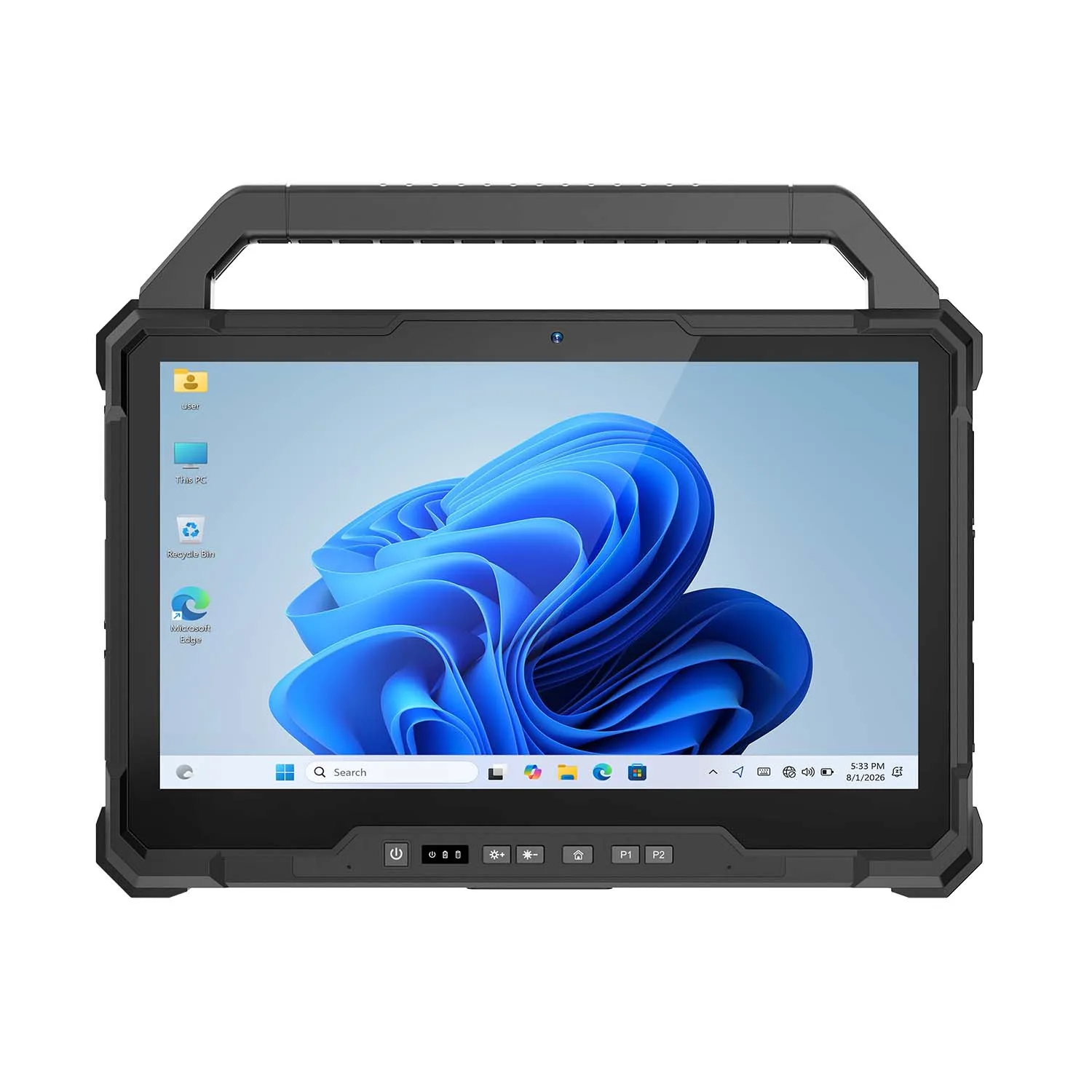
Rugged Tablets with Keyboards
Some shifts are all touchscreen. Some end with two hours of typing.
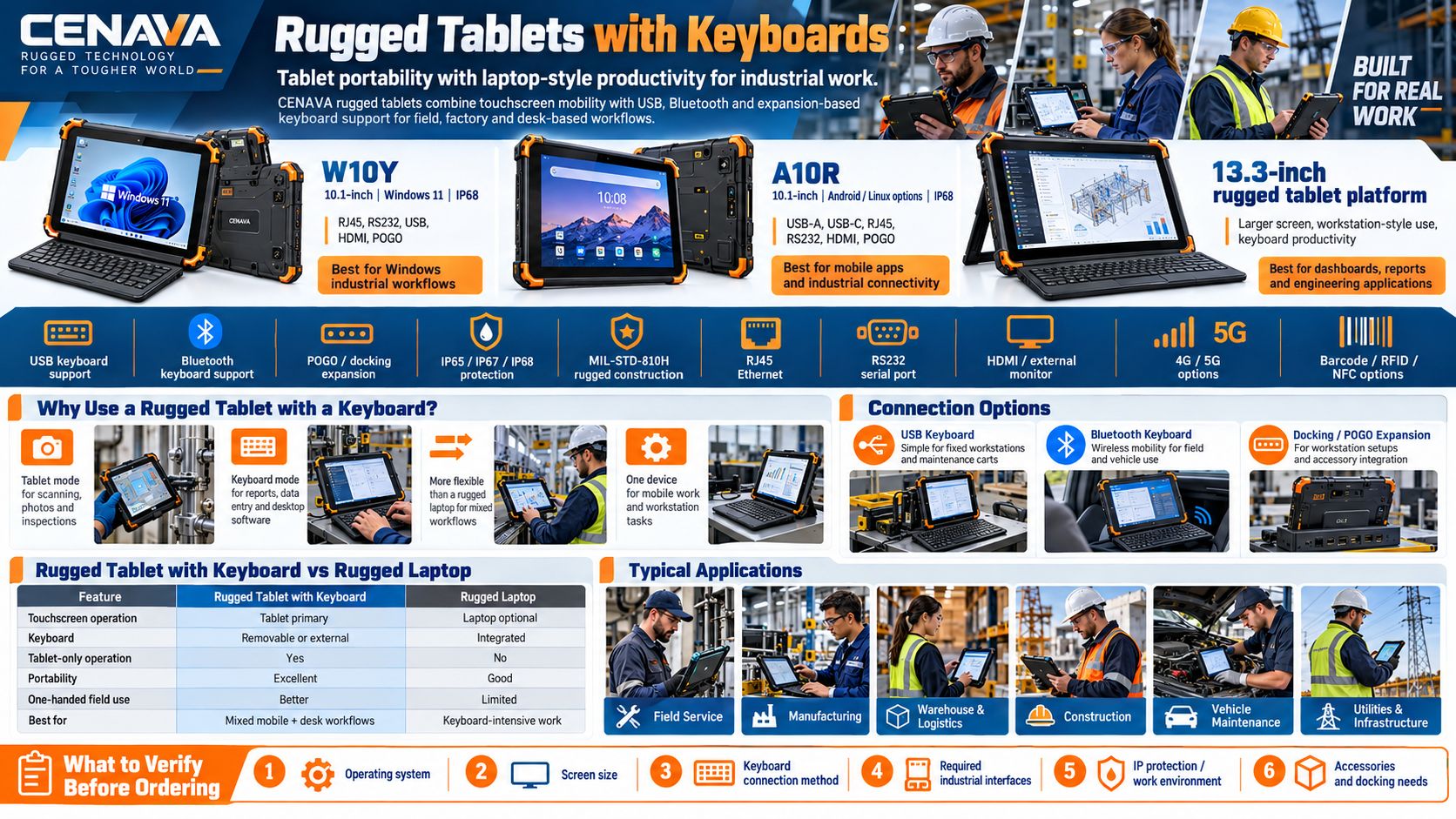
CENAVA rugged tablets with keyboard support combine an industrial tablet's portability with PC-style productivity: field engineers, warehouse operators, technicians and manufacturing teams who enter serious data, write reports or run Windows software get laptop-style input without giving up handheld mode. Across the range, keyboards connect over USB or Bluetooth, or POGO-based expansion — while the tablet keeps its IP65 to IP68 protection, MIL-STD-810H construction, high-brightness display and optional 4G/5G. We list keyboard support explicitly on the models that have it — no guessing.
Why Use a Rugged Tablet with a Keyboard?
Touchscreens win at inspection, scanning and quick input. Keyboards win at reports, configuration and desktop software. A rugged tablet with a keyboard does both: tablet mode between inspection points — scan, photograph, tap; keyboard mode back at the cart or desk — forms, reports, configuration work. Remove the keyboard and it is a lighter handheld again.
For people who split the day between walking a site and entering data, this combination replaces carrying a tablet and a laptop. We ship both modes in one device.
Windows Rugged Tablets with Keyboard Support
Windows rugged tablets suit keyboard-based industrial work because they run conventional desktop software. Our Windows models run Windows 11 with USB-A, USB-C, RS232, RJ45, HDMI and POGO expansion depending on model: plug a USB keyboard straight in, or pair a Bluetooth keyboard for a cable-free setup. Diagnostics with typed commands, MES/ERP data entry, field reports, vehicle service records — all covered.
Industrial Interfaces for Keyboard and Peripheral Expansion
Keyboards are rarely the only peripheral. Across these models, the tablets carry USB-A, USB-C, POGO pins, RJ45 Ethernet, RS232 and HDMI — one device serving as mobile field terminal and desk-based workstation. We test the peripherals with the tablet, not separately.
The tablet itself keeps its protection: IP65, IP67 or IP68 depending on model, MIL-STD-810H-tested models for drops and vibration, and industrial handling. That is where a rugged tablet plus keyboard beats a conventional laptop — the notebook would not survive the site.
Rugged Protection for Field and Industrial Work
A keyboard improves productivity, but the tablet itself still needs to survive demanding environments.
CENAVA rugged tablets are available with IP65, IP67 and IP68 protection depending on the model. The current rugged tablet range also includes MIL-STD-810H-tested models designed for drops, vibration and industrial use.
Compared with consumer tablets, rugged models are better suited to environments where equipment may be exposed to:
- Dust
- Rain
- Water spray
- Accidental drops
- Vibration
- Outdoor temperatures
- Factory contamination
- Frequent transportation
For this reason, rugged tablets with keyboards can replace conventional laptops in applications where a normal office notebook may not provide enough environmental protection.
Rugged Tablet with Keyboard vs. Rugged Laptop
| Feature | Rugged Tablet with Keyboard | Rugged Laptop |
|---|---|---|
| Touchscreen Operation | Primary operating method | Optional on many models |
| Keyboard | Removable or external | Integrated |
| Tablet-Only Operation | Yes | No |
| Portability | Excellent | Good |
| One-Handed Field Use | Better | Limited |
| Desktop Data Entry | Good with keyboard | Excellent |
| Barcode/RFID Integration | Common | Less common |
| Vehicle or Dock Mounting | Flexible | Larger footprint |
| Best For | Mixed mobile + desk workflows | Keyboard-intensive work |
Keyboard all day? Buy the rugged laptop. Mixed walking inspection, touch input and scanning with desk-based data entry in between? Tablet plus keyboard. We build both, so this recommendation costs us nothing.
Rugged Tablet Keyboard Connection Options
Recommended Rugged Tablet Types for Keyboard Use
Applications of Rugged Tablets with Keyboards
Why Choose CENAVA Rugged Tablets with Keyboard Support?
Frequently Asked Questions About Rugged Tablets with Keyboards
1. Can a rugged tablet use a keyboard?
Yes. Many rugged tablets can connect to external keyboards through USB or Bluetooth. Selected industrial tablets also provide POGO expansion interfaces for docking and accessory configurations.
2. Does CENAVA offer rugged tablets that support keyboards?
Yes. Selected CENAVA rugged tablets include USB ports and Bluetooth connectivity that can be used with compatible keyboards. Some models also provide POGO expansion interfaces.
Keyboard and docking compatibility should be confirmed for the specific tablet configuration before ordering.
3. Is a rugged tablet with a keyboard better than a laptop?
It depends on the workflow.
A rugged tablet with a keyboard is better suited to users who need both mobile touchscreen operation and occasional keyboard input.
A rugged laptop is usually more suitable when most work involves continuous typing, spreadsheets or desktop applications.
4. Can a Windows rugged tablet replace a laptop?
For many industrial applications, yes. It runs desktop software and connects keyboards and mice, monitors and other peripherals — connected to the right accessories, it works as a compact mobile workstation.
5. Can I connect a USB keyboard to a CENAVA rugged tablet?
Selected CENAVA models include USB-A ports capable of connecting external keyboards. The available ports vary by model, so interface requirements should be confirmed before selecting a tablet.
6. Can I use a Bluetooth keyboard?
Selected rugged tablets support Bluetooth and can work with compatible Bluetooth peripherals. Compatibility should be verified for the intended keyboard and operating system.
7. Are detachable keyboards waterproof?
One line buyers miss: the rugged rating of the tablet does not automatically apply to an external keyboard. An IP68 tablet with an office keyboard is an IP68 tablet plus a vulnerable keyboard. Outdoors or in wet, dusty environments, choose an industrial keyboard with its own IP rating — and tell us the environment, because we will check the complete system, not just the tablet.
8. Which operating system is best for a rugged tablet with a keyboard?
Windows is usually preferable when users need conventional desktop programs, industrial software, ERP applications or complex keyboard-based workflows.
Android is suitable for browser-based systems, mobile applications, inventory software and customized enterprise applications.
9. Can rugged tablets connect to a monitor, keyboard and mouse at the same time?
Selected models provide multiple interfaces such as USB, HDMI, USB-C and POGO expansion, allowing workstation-style configurations.
The exact number of simultaneously supported peripherals depends on the tablet model and docking configuration.
10. How do I choose a rugged tablet with a keyboard?
Consider six factors:
- Windows or Android operating system
- Screen size
- Keyboard connection method
- Required industrial interfaces
- IP protection and operating environment
- Required accessories such as barcode scanners, RFID, docking stations or vehicle mounts
Provide CENAVA with your application, software, required ports and working environment to determine the most suitable rugged tablet configuration.



