













































-1.jpg)












.jpg)










Best Tablets for Service Technicians
Best Tablets for Service Technicians
Three questions decide a service technician's tablet: what software, what equipment interfaces, and what kind of shift. A Windows rugged tablet with RJ45, RS232 and USB covers industrial diagnostics. A compact Android rugged tablet runs work orders and inspections with longer battery life and easier one-hand use. For multi-shift work, hot-swap or high-capacity batteries kill charging downtime.
We build the full spread — Windows and Android, IP67/IP68 protection, MIL-STD-810H construction. Cellular (4G/5G), positioning (GPS/GNSS) and data capture (barcode/RFID) are options across the range, along with the industrial interfaces field service actually needs. Six models below; the right one depends on your answers to those three questions.
Which Tablet Is Best for Service Technicians?
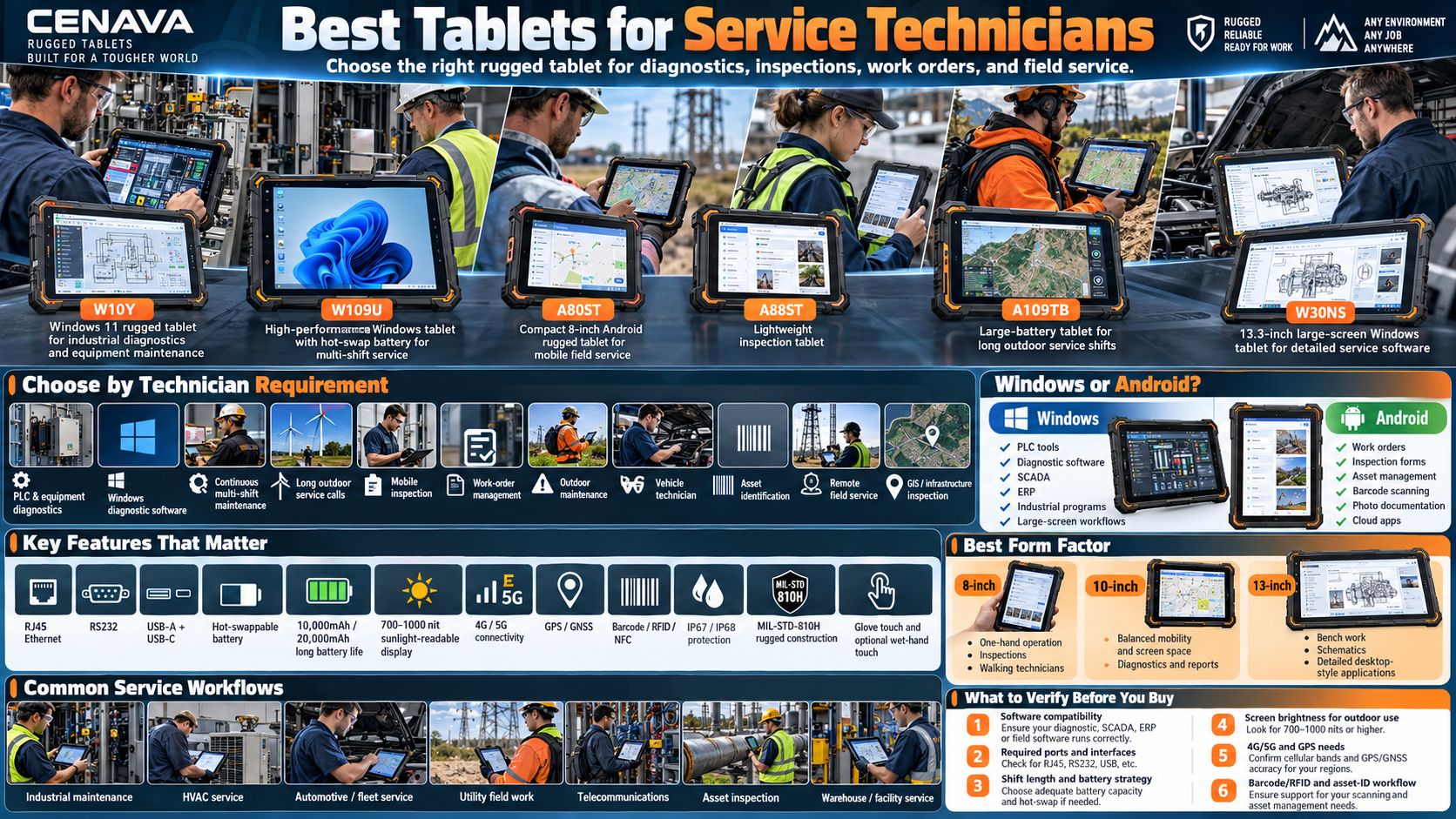
Different technicians need different configurations — there is no single best spec. Match the tablet to the software, the machine interfaces, the runtime and the environment, in that order. The quick map:
| Technician Requirement | Recommended Tablet Type |
|---|---|
| PLC and equipment diagnostics | Windows tablet with RJ45 + RS232 |
| Windows diagnostic software | Windows 11 rugged tablet |
| Continuous multi-shift maintenance | Hot-swappable battery tablet |
| Long outdoor service calls | Large-battery rugged tablet |
| Mobile inspection | Compact 8-inch rugged tablet |
| Work-order management | Android or Windows rugged tablet |
| Outdoor maintenance | 700-1000 nit rugged tablet |
| Vehicle technician | Windows tablet + vehicle mount + Ethernet |
| Asset identification | Tablet with barcode/RFID |
| Remote field service | 4G/5G rugged tablet |
| GIS / infrastructure inspection | GPS/GNSS rugged tablet |
If two rows fit your job at once, ask us — we spec these combinations every day.
Recommended CENAVA Tablets for Service Technicians
W10Y — For Industrial Diagnostics and Equipment Maintenance
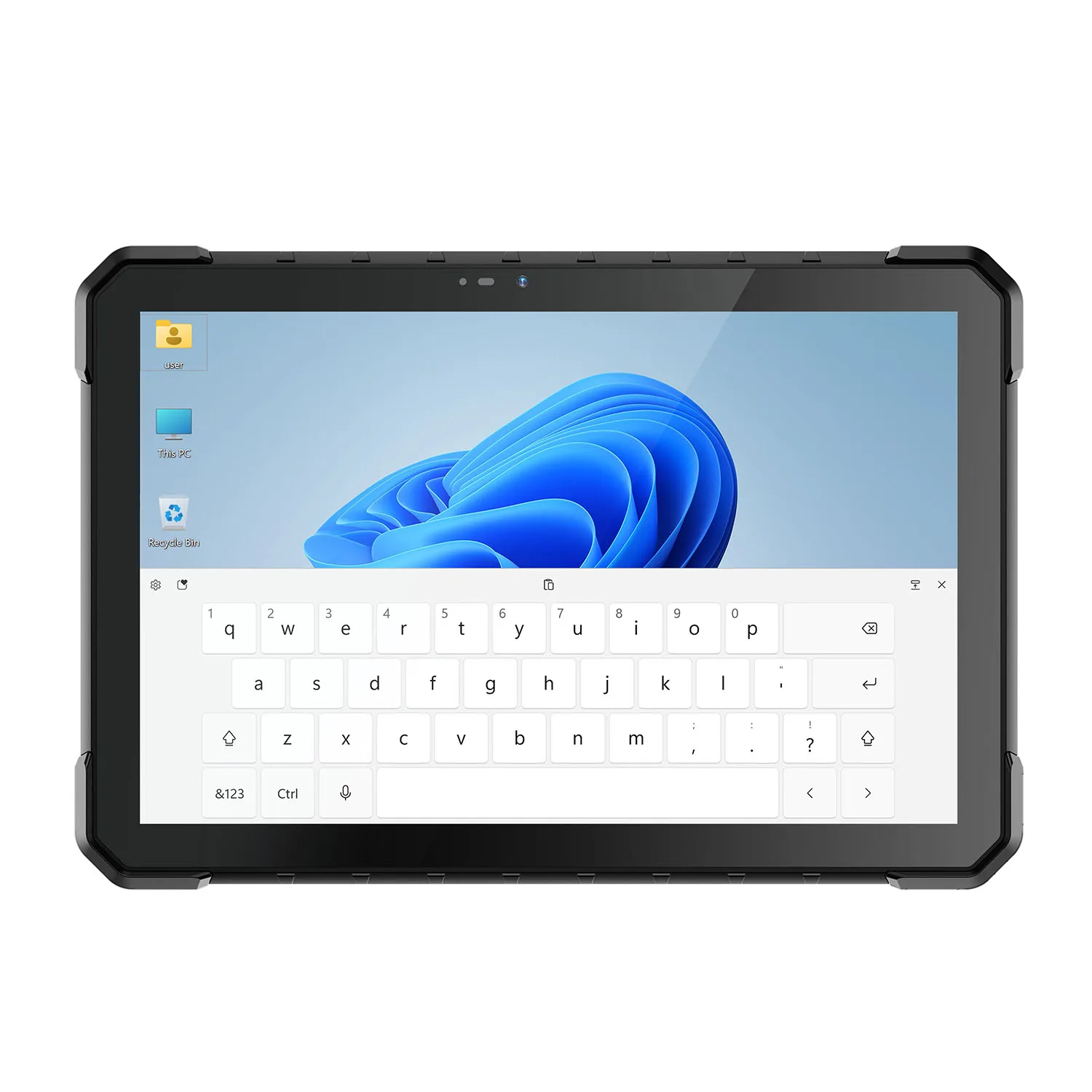
W10Y is where we start when a technician needs Windows software with direct equipment connectivity. Windows 11 on board; Gigabit RJ45, RS232, USB-A, USB-C and Micro HDMI along the edge; POGO pins for docks and mounts; optional 4G/5G; four-constellation GNSS; a 700-nit panel with glove touch.
That combination suits PLC connection and machine maintenance, engineering diagnostics and production service — jobs where the tablet plugs into the machine, not just the network.
W109U — For High-Performance and Multi-Shift Service
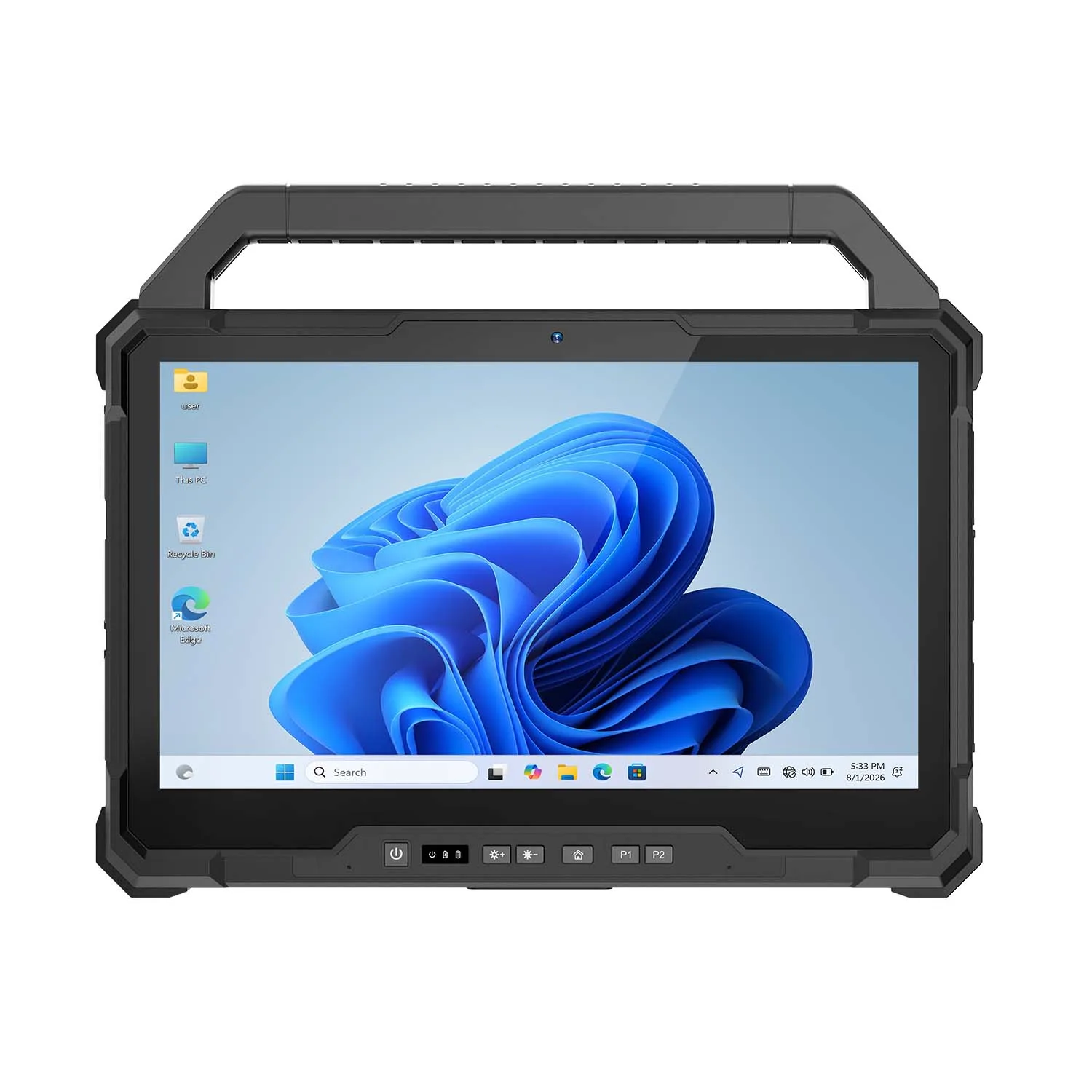
W109U steps up to desktop-class work. It runs an Intel Core i7-1255U under Windows 11 with Gigabit RJ45, HDMI, USB-C and USB-A — and it stays on through shift changes: an 8300mAh removable main battery plus a 300mAh backup lets the technician swap power without closing the diagnostic session. IP67 rated.
Teams running heavy diagnostic software across two shifts get this model from us by default.
A80ST — For Compact Mobile Field Service
Some technicians carry the tablet all day and barely set it down. For them we build two 8-inch Android models.
A80ST is the rugged one: IP68, a 700-nit display, RJ45 Ethernet, USB-A and USB-C, a 10,000mAh battery with 4G LTE and GPS/GNSS, plus optional barcode and RFID modules, even ID-card reading. A88ST is the slim one — a lighter 8-inch chassis with MIL-STD-810H construction and an optional 1000-nit display; 4G and NFC come along, with optional barcode/RFID. A80ST for rough sites and wired equipment; A88ST for inspection rounds and asset management where weight matters most.
A109TB — For Long Outdoor Service Shifts
A109TB answers a different question: what if the shift outlasts any normal battery? Its 20,000mAh pack is rated at 16–18 hours under specified conditions. The trade-off is honest — you give up direct serial connectivity to get that runtime. The 10.95-inch screen leaves room for work orders and manuals, or two field apps side by side. We recommend it for remote service calls, infrastructure inspection and long outdoor days.
W30NS goes big instead: a 13.3-inch Full HD display for technicians who live in detailed Windows applications — electrical diagrams, service manuals, dense work orders. Less carrying, more viewing.
Why Service Technicians Need Rugged Tablets
A technician's computer lives where office hardware dies: beside machinery, inside vehicles, on construction sites, in rain, dust and heat. A consumer tablet might run the software and still fail the job — wrong ports, no protection.
OS choice follows software. Windows runs the engineering and diagnostic applications built for PCs — PLC tools and vehicle diagnostics, SCADA clients and ERP systems. Android wins for mobile-first work: work orders, inspections, asset management, signatures, cloud apps. Stand or walk all day? Android's battery efficiency and one-hand operation pay off. At a bench with heavy software? Windows. We sell both, so this advice costs us nothing.
Android tablets can also provide excellent battery efficiency and are often easier to operate while standing or walking.
For this reason, a rugged service tablet with both USB-A and USB-C can provide greater flexibility than a consumer tablet with only one USB-C connector.
Hot-Swappable Batteries for Continuous Service
Hot-swap is not for everyone. Some teams cannot shut down an active diagnostic session, share one tablet across shifts, or work where outlets don't exist — for them, W109U's 8300mAh + 300mAh hot-swap design is the answer.
Everyone else should look at capacity first. We offer 10,000mAh platforms for full-shift mobile work and 20,000mAh configurations for the long haul. But capacity alone does not decide runtime: shift length, display brightness, 4G/5G use, GPS and diagnostic workload all eat from the same pack. Tell us the shift pattern and we will size the battery honestly.
8-Inch vs. 10-Inch Tablets for Service Technicians
The larger screen sacrifices some portability but improves detailed desktop-style workflows.
Sunlight-Readable Displays
Service technicians frequently move between buildings and outdoor environments.
A standard indoor display may become difficult to read in bright sunlight.
Outdoor work stacks requirements. A 700-nit display (1000-nit optional on certain models) keeps the screen readable in sunlight — judge brightness together with battery, since the backlight is the hungriest component. Glove touch and wet-hand options mean no bare-handed data entry in the rain. 4G/5G syncs service records from the field instead of back at the office. Four-constellation GNSS covers navigation and asset location across large territories, with RTK on selected platforms for high-precision infrastructure work.
That is how we configure outdoor builds — brightness, touch, connectivity and positioning as one package, not four separate options.
Selected CENAVA tablets support combinations of GPS, BeiDou, Galileo and GLONASS.
For high-precision infrastructure or surveying work, selected platforms can also support RTK.
Barcode and RFID for Asset Service
A service team can maintain thousands of physical assets. Integrated 1D/2D barcode, NFC and HF/UHF RFID modules let the technician scan an asset and open its maintenance history immediately — provided the enterprise application supports that workflow, and we will help you verify that it does.
Protection follows the environment: drops, vibration, dust, rain, mud, temperature swings. We build IP67 and IP68 platforms with MIL-STD-810H-tested models across the range. Match the rating to the actual site — do not pay for IP68 if the tablet lives in a workshop.
- HVAC — Windows rugged when specialized PC software is required; compact Android for mobile work orders and inspections
- Industrial maintenance — W10Y or W109U: Windows plus industrial interfaces is the whole game here
- Automotive and fleet — W109U when desktop-class diagnostics and continuous power matter; add a vehicle mount
- Utilities — 8-inch Android for inspection rounds; Windows for specialized engineering software; brightness and battery first
- Telecommunications — Ethernet matters: direct access to network equipment alongside cloud service apps
- Construction equipment — outdoor-readable display, IP68, hot-swap or high-capacity battery for long field days
Tell us the trade and we will narrow it to one model.
Rugged Tablet vs. Laptop for Service Technicians
| Feature | Rugged Tablet | Rugged Laptop |
|---|---|---|
| Handheld Operation | Excellent | Limited |
| Touchscreen | Standard | Depends on model |
| Walking Inspection | Excellent | Difficult |
| Keyboard Work | Optional keyboard | Better |
| Equipment Connectivity | Strong on industrial models | Strong |
| Vehicle Mounting | Compact | Larger |
| Barcode/RFID | Integrated options | Less common |
| Detailed Desktop Work | Good | Excellent |
A rugged laptop is better when most of the technician's work involves typing and desktop software.
A rugged tablet is better when the technician needs to move between inspection, diagnosis, scanning and documentation.
How to Choose the Best Tablet for a Service Technician
Why Choose CENAVA Tablets for Service Technicians?
Frequently Asked Questions About Tablets for Service Technicians
1. What is the best tablet for service technicians?
The best tablet depends on the type of service work.
For industrial diagnostics, choose a Windows rugged tablet with Ethernet and RS232.
For mobile inspections and work orders, a compact Android rugged tablet may be more convenient.
For long or continuous shifts, prioritize a large-capacity or hot-swappable battery.
2. Is Windows or Android better for field technicians?
Windows is usually preferable when technicians use traditional PC diagnostic or engineering software.
Android is useful for work orders, inspections, asset management and mobile enterprise apps.
3. Do service technicians need a rugged tablet?
Not every technician does. For controlled indoor work, a conventional tablet may be sufficient. Around machinery, outdoors, in vehicles or in dusty and wet locations, rugged protection earns its cost.
4. Why do technicians need RS232?
Many industrial machines and controllers still use serial — a built-in RS232 port simplifies legacy maintenance.
5. Why is Ethernet useful on a service tablet?
Built-in Ethernet allows technicians to connect directly to compatible machines, PLCs, switches and local networks without carrying a USB network adapter.
6. What screen size is best for technicians?
An 8-inch tablet is best for continuous handheld use.
A 10-inch tablet provides a better balance for diagnostics, manuals and field applications.
A 13-inch tablet is more suitable when detailed Windows software or large diagrams are used frequently.
7. What battery is best for field service?
For a standard shift, a high-capacity built-in battery may be sufficient.
For extended work, consider 10,000mAh or 20,000mAh configurations.
For continuous multi-shift use, a hot-swappable battery can provide greater flexibility.
8. Can technicians use rugged tablets while wearing gloves?
Selected CENAVA models support glove-touch operation.
Wet-hand touch is also available on certain configurations.
9. Can a field-service tablet scan equipment barcodes?
Yes.
Selected CENAVA rugged tablets can integrate 1D/2D barcode scanners as well as NFC and RFID modules.
10. Which CENAVA tablet should I choose for service technicians?
W10Y for Windows equipment diagnostics and PLC maintenance; W109U for high-performance diagnostics and multi-shift work; A80ST for compact Android field service; A88ST for lightweight inspections; A109TB for long outdoor shifts; W30NS for large-screen Windows work. Tell us the workflow and we will pick one.



