













































-1.jpg)












.jpg)










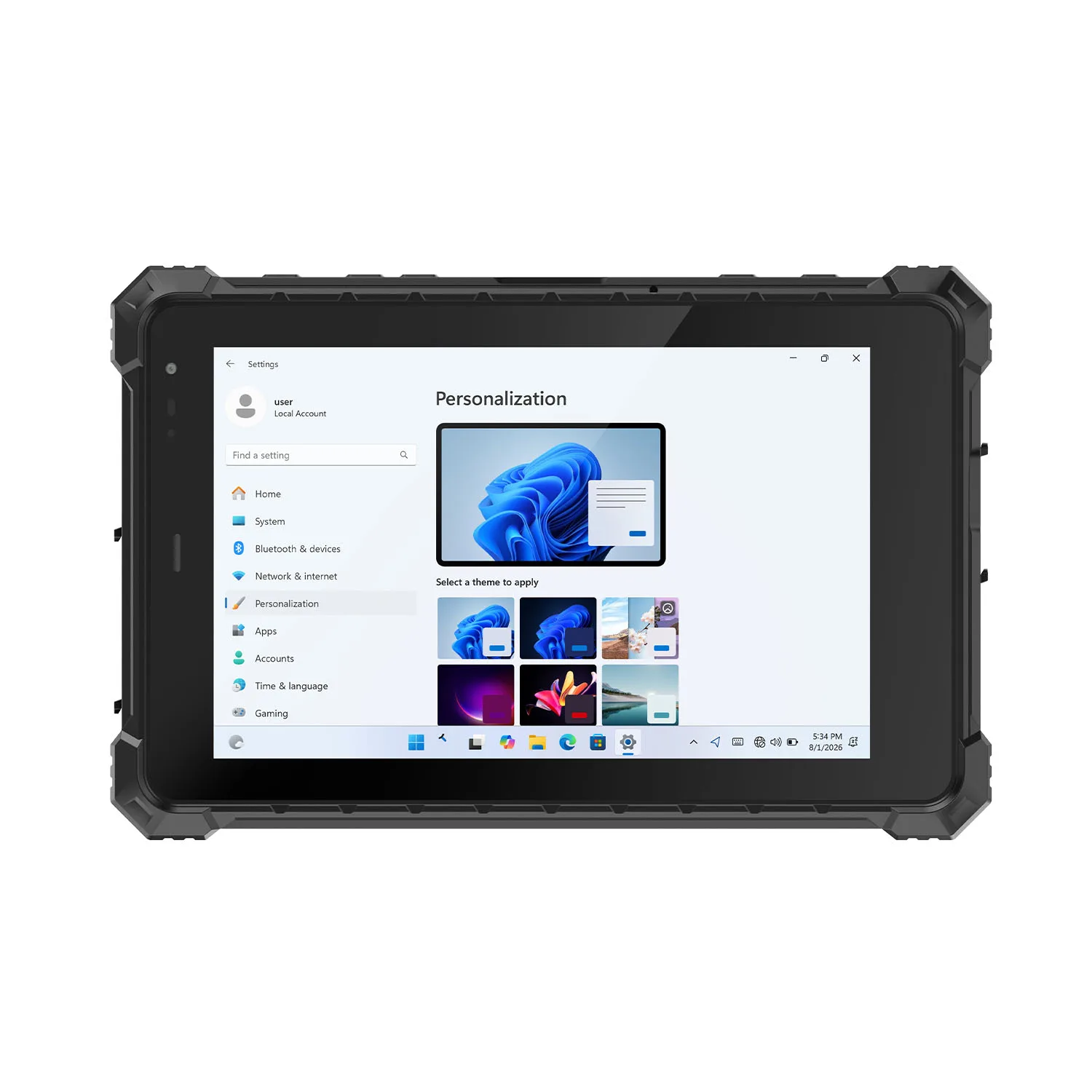
Rugged Industrial Tablet
Rugged Industrial Tablets for Manufacturing and Field Operations
Two things make a tablet industrial: it survives the environment, and it talks to the equipment. This page is about both.
We build rugged industrial tablets for manufacturing and warehouse operations, equipment maintenance and logistics, transportation and field work — reinforced construction with the ports consumer tablets deleted: RS232, RJ45 Ethernet, USB, HDMI and POGO expansion. Windows and Android, 8 to 13.3 inches, IP65 to IP68. Barcode and NFC, RFID and fingerprint readers, GPS/GNSS and 4G/5G configure per project.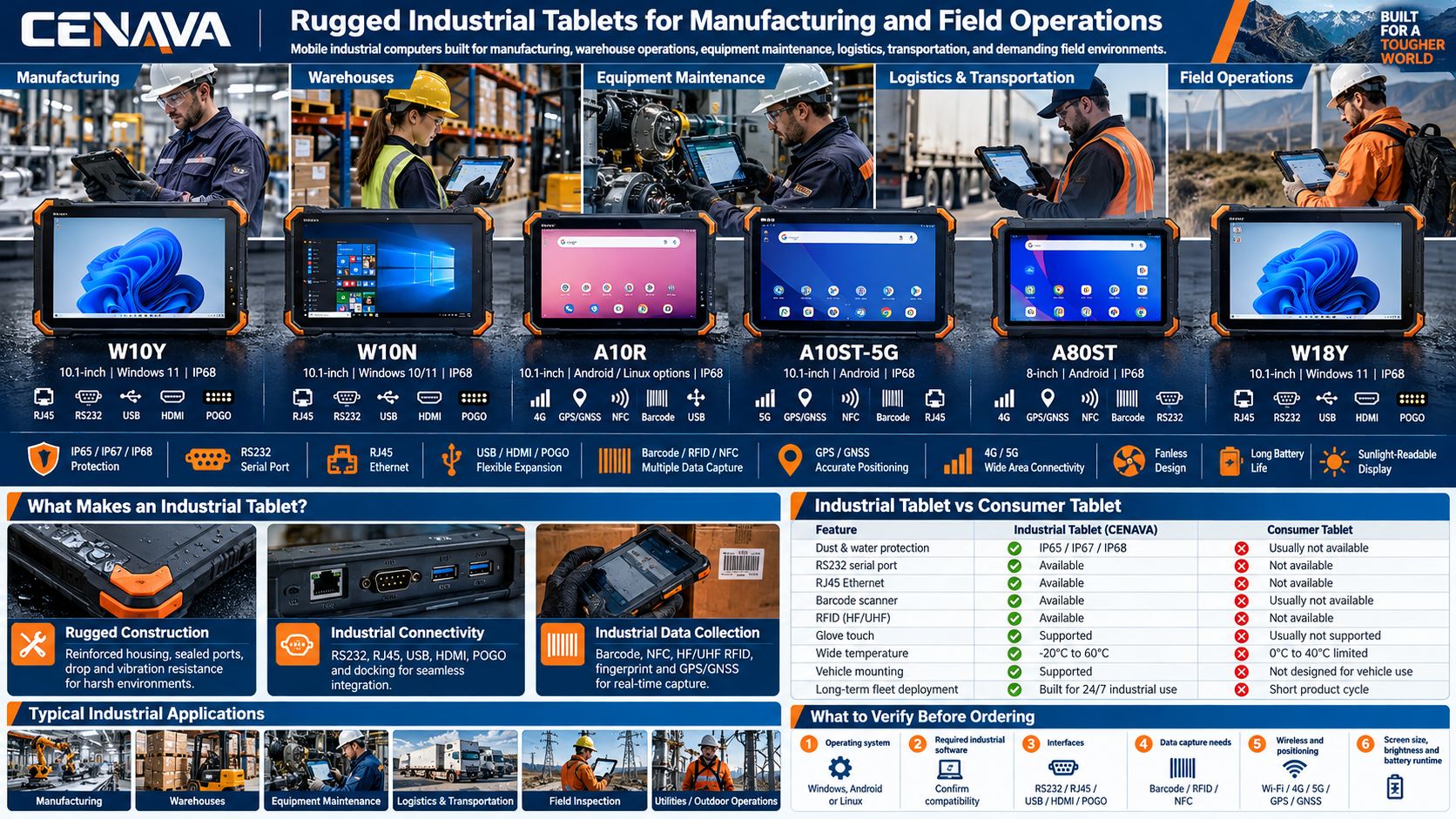
CENAVA Rugged Industrial Tablet Options
| Model | Screen | OS | Protection | Key Industrial Features |
|---|---|---|---|---|
| W10Y | 10.1" | Windows 11 | IP68 | Gigabit RJ45, RS232, USB, HDMI, POGO, 4G/5G option |
| W10N | 10.1" | Windows 10/11 | IP68 | RJ45, RS232, USB, HDMI, POGO, industrial expansion |
| A10R | 10.1" | Android / Linux options | IP68 | Gigabit Ethernet, RS232, RK3588 platform, edge computing |
| A10ST-5G | 10.1" | Android | IP68 | 5G, Wi-Fi 6, RJ45, RS232, POGO, optional data capture |
| A80ST | 8" | Android | IP68 | RJ45, USB-C, HDMI, POGO, 10,000mAh battery |
| W18Y | 10.1" | Windows 11 | IP68 | Fanless design, 700-nit display, optional 4G/5G, barcode/RFID |
Specifications and available modules vary by model and project configuration. Confirm required interfaces, wireless modules and accessories before ordering.
What Is a Rugged Industrial Tablet?
It is a portable computer built for places where consumer tablets fail. Three feature groups define it:
- Rugged construction — reinforced housings, sealed ports, protective structure against dust, water, drops and vibration
- Industrial connectivity — RS232, RJ45, USB, HDMI, POGO built into the chassis
- Data collection — optional barcode, RFID and identification modules
One device plays three roles: mobile computer, data-collection terminal and equipment interface. That is the difference we engineer for.
Rugged Industrial Tablet vs. Consumer Tablet
A consumer tablet serves office, entertainment and personal use — and for occasional office work, it is enough; we will not oversell. In factories, warehouses, vehicles and field operations, reliability and interfaces decide whether work stops or continues. That is the split.
For factories, warehouses, vehicles and field operations, industrial rugged tablets provide interfaces and protection designed around operational workflows.
Windows tablets run conventional PC applications beside the machine — industrial control software, diagnostic programs, enterprise systems. Our Windows models pair Windows 11 with full industrial I/O: the W10Y, for example, carries Gigabit RJ45, DB9 RS232, USB-A, USB-C, HDMI and POGO, so technicians connect to PLCs and switches, instruments and equipment without an adapter chain.
Android tablets serve mobile-first work: scanning, inspection, custom enterprise apps. Several of our Android models carry RS232 and RJ45 alongside standard wireless, and optional barcode, RFID and ID modules turn the tablet into an integrated data terminal. We build both — your software picks the OS.
RS232: The Port That Matters More Than Thinness
Factories run machines, controllers, measurement instruments and diagnostic equipment installed years ago — still working, still serial. A built-in RS232 port talks to that legacy equipment directly, no USB-to-serial adapter in between. Maintenance technicians connect during troubleshooting; instrument readers pull from meters and test equipment; vehicle service systems still speak serial.
For industrial buyers, a built-in RS232 can matter more than having the thinnest possible tablet — we design accordingly.
Industrial Tablets with RJ45 Ethernet
Industrial sites often demand wired networking: restricted wireless policies, unstable coverage, security rules. Many models carry built-in RJ45, with Gigabit Ethernet on certain configurations — a cleaner installation than a consumer tablet with a USB-C adapter hanging off it.
A Windows tablet with Ethernet and RS232 becomes the portable engineering terminal for facilities mixing modern Ethernet equipment with older serial devices. One honest caveat: PLC communication depends on the PLC brand, the protocol and the software — tell us your PLC brand and we will confirm the path before you order.
IP65, IP67 and IP68 Industrial Tablets
Different industrial environments require different levels of ingress protection.
IP65
IP65 equipment is dust-tight and protected against water jets.
It can be appropriate for many factories, warehouses and protected vehicle installations.
IP67
IP67 provides dust protection together with temporary immersion protection under defined test conditions.
It is suitable for more demanding outdoor applications.
IP68
IP68 models provide a higher level of water-ingress protection according to the manufacturer's specified test conditions.
Many CENAVA 8-inch and 10.1-inch industrial tablets are available with IP68-rated designs.
The appropriate IP rating should be chosen according to actual dust, water and cleaning conditions rather than simply selecting the highest number.
MIL-STD-810H Rugged Industrial Tablets
Selected CENAVA rugged tablets are designed and tested around MIL-STD-810H requirements.
Depending on the model, testing may cover environmental factors such as:
- Drops
- Vibration
- Temperature
- Humidity
- Transportation stress
MIL-STD-810H is not a single universal certification with identical conditions for every product — review the specific test methods for the tablet you choose. Ask us; we send the details.
Sunlight Readable Industrial Displays
Industrial tablets may be used indoors, inside vehicles and outdoors during the same shift.
Selected CENAVA rugged tablets use 700-nit high-brightness displays, with higher-brightness configurations available on certain platforms.
High-brightness screens are useful for:
- Outdoor inspection
- Construction
- Transportation yards
- Agriculture
- Field maintenance
- Vehicle operation
Glove-touch and wet-hand options can further improve usability in field environments.
Long Battery Life Industrial Tablets
Battery requirements vary significantly by application.
Warehouse workers may need one full shift of mobile operation.
Field engineers may spend the entire day away from charging facilities.
Vehicle-mounted tablets may remain connected to external power.
CENAVA offers different battery strategies depending on the platform, including:
- Standard internal batteries
- 10,000mAh batteries
- Selected 20,000mAh configurations
- Removable batteries
- Hot-swappable battery systems
- Vehicle charging
- Dock charging
Tell us screen brightness, cellular usage and peripheral load, and we will size the battery honestly.
Barcode and RFID Industrial Tablets
Data capture is a major difference between industrial and consumer tablets.
Selected CENAVA rugged tablets can integrate:
1D/2D Barcode Scanner
Suitable for warehouse, logistics, manufacturing and asset-management applications.
NFC
Useful for identification, access and short-range data exchange.
HF RFID
Supports compatible identification and tracking applications.
UHF RFID
Provides longer reading ranges for selected inventory and asset-management workflows.
Fingerprint and ID Modules
Can support worker identification and customized project requirements.
Integrated modules reduce the need to carry separate handheld peripherals.
4G and 5G Rugged Industrial Tablets
Industrial tablets frequently operate outside traditional Wi-Fi networks.
Selected CENAVA configurations support 4G LTE or 5G cellular connectivity.
Cellular communication can support:
- Remote work orders
- Cloud synchronization
- Video communication
- Fleet management
- Remote monitoring
- Field data uploads
- Mobile ERP access
For factory applications, Wi-Fi and Ethernet may remain the primary network options, while cellular connectivity can provide mobility outside the facility.
GPS and GNSS for Industrial Field Operations
Selected industrial rugged tablets support positioning systems including:
- GPS
- BeiDou
- Galileo
- GLONASS
Positioning can be used for:
- Fleet applications
- Field inspection
- GIS
- Asset location
- Agriculture
- Utilities
- Transportation
RTK options are available on selected platforms for projects requiring higher positioning accuracy.
8-Inch, 10-Inch and 13-Inch Industrial Tablets
8-Inch Rugged Industrial Tablet
Best suited for handheld work where portability is important.
Common applications include warehouse scanning, logistics and mobile inspection.
10-Inch Rugged Industrial Tablet
Provides a balance between portability and screen size.
This is a common choice for manufacturing, field service, vehicles and equipment maintenance.
13-Inch Rugged Industrial Tablet
Provides more display space for Windows applications, engineering software and workstation-style use.
The larger format is suitable when mobility is required but the device is not continuously held in one hand.
Fanless Industrial Tablet Design
Selected CENAVA rugged tablets use fanless processors and passive cooling.
A fanless design can provide practical benefits in industrial environments:
- No cooling fan opening
- Reduced moving components
- Lower fan noise
- Easier sealed enclosure design
- Reduced dust intake through active airflow
Performance requirements should still be matched to the selected processor and application workload.
How to Choose a Rugged Industrial Tablet
1. Operating system — Windows for PC applications and existing infrastructure; Android for mobile workflows and custom apps.
2. Environmental protection — IP65, IP67 or IP68 against the actual exposure.
3. Industrial interfaces — RS232, RJ45, USB, HDMI, POGO; what must connect directly.
4. Data collection — barcode/RFID/NFC, fingerprint, ID-card modules.
5. Wireless and positioning — Wi-Fi, 4G/5G, GNSS, RTK where the work happens.
6. Screen, battery, installation — size and brightness; runtime; handheld, docked or vehicle-mounted.
Why Choose CENAVA Rugged Industrial Tablets?
Frequently Asked Questions About Rugged Industrial Tablets
1. What is a rugged industrial tablet?
A rugged industrial tablet is a portable industrial computer designed for factories, warehouses, vehicles and field environments.
Compared with consumer tablets, it usually provides reinforced construction, higher ingress protection and additional industrial connectivity.
2. What is the difference between a rugged tablet and an industrial tablet?
The terms often overlap. "Rugged" describes resistance to environmental and physical conditions; "industrial" emphasizes interfaces, long-term deployment, equipment connectivity and enterprise applications. A rugged industrial tablet combines both — that is exactly what we build.
3. Does CENAVA offer Windows industrial tablets?
Yes.
Selected CENAVA rugged tablets run Windows 11 and provide industrial interfaces such as RJ45, RS232, USB and HDMI.
4. Does CENAVA offer Android industrial tablets?
Yes.
CENAVA provides Android rugged tablets for manufacturing, warehouses, logistics, field inspection and customized industrial applications.
5. Can an industrial tablet connect to a PLC?
Our full-I/O models provide Ethernet and RS232 interfaces that establish physical connections with compatible equipment. Actual PLC communication depends on the PLC, protocol and software — tell us the PLC brand and we will check.
6. Do industrial tablets have Ethernet ports?
Selected CENAVA models have built-in RJ45 ports, including Gigabit Ethernet on certain configurations.
This eliminates the need for a USB Ethernet adapter in many applications.
7. Can rugged industrial tablets scan barcodes?
Yes.
Selected models can be factory-configured with 1D or 2D barcode scanners.
NFC, HF/UHF RFID and other identification modules are also available on selected platforms.
8. Can industrial tablets be used outdoors?
Yes.
Choose a model with the required IP rating, high-brightness display, appropriate operating-temperature range and suitable battery configuration.
9. What screen size is best for an industrial tablet?
8-inch tablets are suitable for handheld mobility.
10-inch tablets provide a balance between portability and screen space.
13-inch tablets are appropriate when larger Windows applications and workstation-style use are more important.
10. How do I choose the right rugged industrial tablet?
Start with five requirements:
- Operating system
- Industrial software
- Required interfaces
- Working environment
- Required data-capture functions
Then define screen size, wireless connectivity, battery runtime and installation method.
CENAVA can recommend an appropriate rugged industrial tablet configuration based on these project requirements.



