













































-1.jpg)












.jpg)









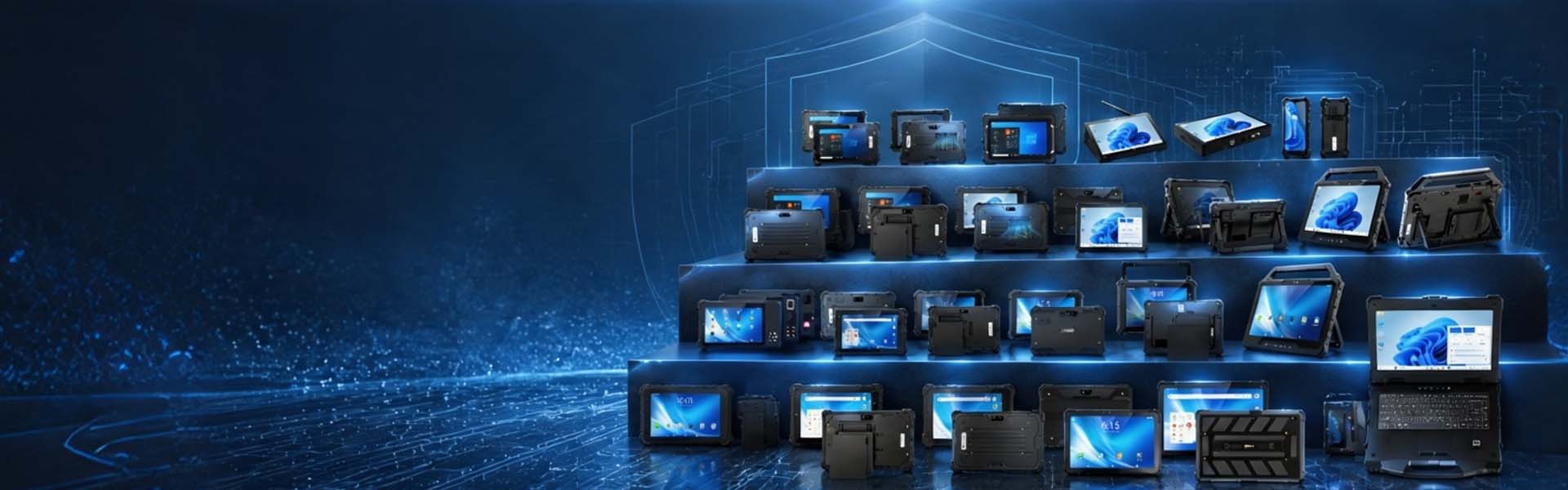
Field Survey & GIS
Rugged Tablets for Field Survey, GIS & Mapping
Field survey and GIS teams need mobile computers that can collect, display and transmit location data far from the office. CENAVA rugged tablets provide durable Android and Windows platforms for land surveying, utility mapping, construction layout, agriculture, environmental monitoring and other outdoor GIS applications.
Depending on the model and configuration, available features can include multi-constellation GNSS, optional RTK positioning, high-brightness displays, cellular connectivity, glove-touch operation, IP-rated protection and extended battery options. Note: every capability on this page is configuration-dependent. The quotation and datasheet of your selected model are the authoritative list.
Pick the configuration around five things: positioning accuracy, survey software, correction method, display conditions and expected field runtime.
Why Ordinary Tablets Struggle in Field Survey Work
Surveyors, utility technicians, construction crews and agricultural teams often work in environments where consumer electronics are difficult to use reliably.
Typical conditions: direct sun, dust, mud, rain, vehicle transport, waist-height drops, wide temperature swings, and days too long for one charge — often all in the same week.
At the same time, positioning data may be part of a cadastral record, utility database, construction layout or agricultural decision.
A failed device does more than interrupt communication. It can delay data collection, force a crew to revisit a remote location or leave field records incomplete.
For this reason, a field GIS computer should be selected around the complete workflow rather than simply choosing a tablet with GPS.
GNSS Is Not the Same as Survey-Grade RTK
Standard GNSS and RTK GNSS differ by roughly two orders of magnitude in the field: typically 2–5 m standalone versus 1–3 cm with a fixed RTK solution under good sky conditions.
A tablet equipped with GPS, GLONASS, BeiDou or Galileo can provide location information for navigation, asset identification and general GIS data collection.
That does not automatically mean the tablet can provide centimeter-level survey accuracy.
Survey-grade positioning typically requires additional elements such as:
An RTK-capable GNSS receiver
Suitable antenna design
Carrier-phase measurement
Correction data
RTK processing
Appropriate field software
Reliable communication with a correction source
CENAVA therefore treats standard multi-constellation GNSS and optional RTK capability as different configurations.
Projects requiring centimeter-level positioning should specify RTK when selecting the hardware.
Multi-Constellation GNSS for Field Applications
The A10R and A10ST-5G integrate multi-constellation GNSS; the W10Y and W109U cover Windows-based survey software.
GPS
GLONASS
BeiDou
Galileo
Four constellations buy you availability, not accuracy — accuracy comes from these eight factors:
Constellation count alone doesn't set accuracy. It also depends on:
GNSS receiver architecture
Antenna location
Satellite geometry
Buildings and structures
Tree canopy
Multipath reflections
Atmospheric conditions
Correction quality
For general GIS applications, standard integrated GNSS may provide sufficient positioning capability.
RTK Positioning for High-Accuracy Field Work
The A10ST's optional RTK module delivers centimeter-level positioning for projects that need more than standalone GNSS for projects that require greater accuracy than standard standalone GNSS.
RTK uses correction information from a reference source to improve positioning accuracy in real time.
Depending on the project architecture, corrections may come from:
A local GNSS base station
An RTK reference station
A CORS network
An NTRIP correction service
Another compatible correction infrastructure
The tablet's cellular or Wi-Fi connection can provide a communication path for network-based corrections where the GNSS hardware and survey software support the required correction workflow.
Cellular connectivity itself does not create RTK accuracy.
The GNSS receiver, correction source, antenna, software and communication link must work together as one positioning system.
What Centimeter-Level Accuracy Really Means
“Centimeter accuracy” should not be treated as a universal specification for every environment.
RTK performance depends on the complete positioning system and field conditions.
Important factors include:
Distance from the reference station
Correction quality
Satellite availability
Multipath
Obstructions
Antenna installation
Initialization status
Mobile-network reliability
Open areas with a clear view of the sky generally provide better GNSS conditions than urban canyons, dense forests or locations close to tall structures.
For professional survey projects, the required horizontal and vertical accuracy should therefore be defined before hardware selection.
If the project has a formal accuracy requirement, ask for the selected RTK module's horizontal and vertical accuracy figures under stated baseline and initialization conditions — a generic "RTK-ready" label on a datasheet does not tell you whether the system meets a 2 cm cadastral tolerance..
Land Surveying and Cadastral Mapping
Cadastral and land-survey jobs collect coordinates and attributes in one pass:
Boundary surveying
Cadastral fieldwork
Control-point collection
Topographic mapping
Construction survey
Site documentation
Feature mapping
A typical workflow may include:
Connect to the required GNSS correction source.
Confirm positioning status and solution quality.
Navigate to the survey point.
Record coordinates.
Enter feature attributes.
Capture photographs or notes.
Store or synchronize the field record.
Step 2 is where new crews lose time: "solution quality" means fixed, not float. Train the crew to wait for the fixed flag before recording, and half your callback rate disappears. The tablet acts as both a computing platform and field-data interface, while the final positioning capability depends on the selected GNSS configuration.
Utility Asset Mapping
Water, electricity, gas and telecommunications operators maintain large numbers of geographically distributed assets.
Field mapping for water, power, gas and telecom networks covers:
Valves
Hydrants
Utility poles
Transformers
Cabinets
Meters
Manholes
Pipelines
Fiber routes
Communication infrastructure
A technician can use GNSS positioning to locate or record an asset, complete an inspection form, capture photographs and synchronize the information with the organization's GIS or asset-management system.
The required accuracy depends on the task.
General inspection or asset verification may not require centimeter-level positioning.
Mapping underground utilities, survey control points or engineering assets may require RTK or another higher-accuracy positioning method.
This distinction can prevent projects from paying for positioning performance that the workflow does not need. Rule of thumb: verification visits run on standalone GNSS; bury it in the ground and the mapping requirement becomes RTK.
Construction Survey and Site Data Collection
Construction teams may use rugged tablets for both positioning and access to digital site information.
On site, crews reach for the tablet for:
Construction layout support
Site inspection
Progress documentation
As-built data collection
Earthwork records
Utility location
Drawing review
Punch-list management
Windows tablets may be useful where field teams rely on existing desktop-oriented engineering or survey applications.
Android tablets may be better suited to mobile GIS, inspection and cloud-based field applications.
The operating system should therefore follow the software requirement rather than being selected only by hardware preference.
Precision Agriculture
Agricultural GIS applications combine positioning with information about fields, crops and operations.
Precision-ag workflows on a rugged tablet:
Field-boundary mapping
Soil-sampling locations
Crop scouting
Irrigation inspection
Pest observations
Farm-asset mapping
Machinery guidance interfaces
Variable-rate planning data
Positioning requirements vary significantly between these tasks.
Crop scouting may only require reliable field location, while row guidance, sampling grids or machine-control workflows may require substantially higher accuracy.
For this reason, GNSS capability should be matched to the agricultural application rather than assuming that every precision-agriculture project requires the same positioning system. Rule of thumb for this sector: scouting and field boundaries run on standalone GNSS; sampling grids and row guidance are where RTK earns its price.
Forestry and Environmental Monitoring
Forestry and environmental teams often operate far from roads, charging infrastructure and reliable networks.
Off-grid fieldwork these tablets take on:
Tree inventory
Plot surveys
Habitat mapping
Water-quality sampling
Environmental inspections
Field observations
Species records
Photo documentation
In these environments, durability and battery management may be as important as GNSS accuracy.
Dense tree canopy can also reduce GNSS performance, so survey teams should evaluate positioning capability under conditions similar to the actual project environment. Concretely: if your routes run under canopy, run the pilot there. Initialization time and fix retention under cover are the two numbers to measure — not open-sky accuracy.
Sunlight-Readable Displays
Display brightness matters when maps and survey information must be read outdoors.
For display brightness, the 10.1-inch line offers 700 cd/m² panels, with 1000 cd/m² available on selected configurations.
Higher brightness can improve outdoor visibility, but brightness alone does not determine readability.
Outdoor screen performance is also affected by:
Display reflectance
Screen coating
Viewing angle
Contrast
Touch-panel construction
Direct sun angle
For projects involving continuous outdoor use, display performance should be evaluated under realistic lighting conditions.
A 1000-nit display should be specified only when the selected hardware configuration actually includes that panel.
Glove and Wet-Hand Touch
Field crews may need to operate a tablet while wearing gloves or working in rain.
The A10R, A10ST-5G and W10Y support glove operation, with wet-hand touch on selected configurations, and wet-hand touch is available on selected models or configurations.
This can help technicians interact with maps, forms and inspection applications without repeatedly removing protective gloves.
Touch performance can vary according to glove material and thickness.
Where crews use heavy winter, construction or chemical-resistant gloves, the actual glove type should be included in pilot testing.
IP Protection for Outdoor Work
Across the range, IP ratings run from IP65 (W30U) to IP68 (A10R, W10Y) — check the datasheet of the exact model.
An IP rating is a defined dust-and-water test result, not a promise against every outdoor condition.
Salt spray
Chemicals
Long-term UV exposure
Repeated impact
Extreme temperatures
If any of those matter on your sites, raise them in the inquiry — we answer per model.
Drop and Environmental Durability
Field tablets are more likely than office computers to be dropped during transport, survey setup or site inspection.
Selected CENAVA rugged tablets are tested using applicable MIL-STD-810H procedures.
Exact drop height and test conditions vary by model.
Current configurations are tested at 1.22 m — 26 drops onto plywood over concrete, per MIL-STD-810H Method 516.8, Procedure IV.
The product specification and available test documentation should therefore be checked for the exact model rather than applying one drop height to the entire product range.
Battery Planning for Long Field Days
Field crews may work for many hours without access to mains power.
Battery planning should consider:
Expected working hours
Screen brightness
GNSS operation
RTK use
Cellular communication
Wi-Fi use
Ambient temperature
Application workload
High screen brightness, continuous positioning and cellular communication can all affect runtime.
The A109TB carries the 20,000 mAh pack for 16–18-hour shifts; the W109U offers a removable 8,300 mAh pack with a 300 mAh bridge battery for true hot-swap.
"Removable" and "hot-swappable" are not the same thing, and the difference decides whether your RTK session survives a battery change.
A removable battery may require device shutdown.
A true hot-swap architecture uses backup power to keep the system running while the main battery is replaced.
If your crew works beyond one battery cycle, match the battery architecture to the field schedule, not the datasheet.
Working Where Mobile Coverage Is Limited
Real-time cloud synchronization and network RTK corrections depend on communication availability.
Where cellular coverage is available, a compatible 4G or 5G tablet can support:
Data synchronization
Cloud GIS access
File transfer
Team communication
Network-based correction services
Where coverage drops out, the app must keep working offline. That means:
Offline basemaps
Locally stored forms
Cached project data
Local coordinate recording
Delayed synchronization
Running RTK continuously? Decide up front what happens when the correction link drops.
RTK vs. PPK: Two Different High-Accuracy Workflows
RTK and PPK are both high-accuracy GNSS techniques, but they use different processing workflows.
RTK applies correction information during field operation to provide a real-time solution.
PPK processes GNSS observations after data collection.
RTK capability and PPK capability are separate hardware questions. A CENAVA tablet configured with RTK does not record raw GNSS observations by default, so it cannot support a PPK workflow out of the box. If your project uses PPK, tell us at the inquiry stage — we will confirm whether the GNSS module in your selected configuration logs raw observations (e.g., RINEX) before we quote.
If a project requires PPK, confirm that the selected GNSS hardware and software can record and export the necessary raw observations in the required format.
What we list on the datasheet is what the configuration supports — if PPK is not in the specification table of your selected model, it is not supported.
Windows and Android for GIS Workflows
CENAVA provides both Windows and Android rugged-tablet platforms.
Windows Rugged Tablets
Windows may be preferred where survey or engineering teams depend on:
Existing Windows field applications
Desktop GIS software
Engineering utilities
Specialized device drivers
Legacy survey software
USB or serial peripherals
Android Rugged Tablets
Android can be suitable for:
Mobile GIS applications
Cloud-based field forms
Asset inspection
Field-service applications
Data collection
Lightweight mapping workflows
The correct operating system depends on the software and peripherals already used by the organization.
Before we recommend a model, send us the exact field application and version you run. We verify the operating system, GNSS interface, driver requirements and correction protocol on the specific configuration you will receive — and we put the confirmed compatibility in writing with the quotation.
External GNSS Receivers and Integrated RTK
Not every survey project needs the RTK receiver built directly into the tablet.
There are two common architectures.
Integrated RTK Tablet
An integrated design can reduce the number of separate devices carried by the field worker and simplify certain mobile GIS workflows.
Tablet with External Survey Receiver
Professional survey teams may already use a dedicated GNSS receiver or survey pole.
In this architecture, the rugged tablet functions as the field controller and communicates with the external receiver through an appropriate supported interface.
The best approach depends on:
Accuracy requirement
Existing survey equipment
Antenna requirements
Software
Field ergonomics
Procurement cost
The tablet should be selected as part of the complete survey system rather than evaluated in isolation.
Mounting and Field Accessories
Survey and GIS applications can require different carrying and mounting arrangements.
Hand straps, shoulder straps, cases, vehicle mounts, docks, styluses — and for survey work, pole mounting. Pole mounting is the one accessory that changes the accuracy conversation: the tablet's position relative to the antenna matters, so confirm the mount geometry with the receiver, not just the tablet.
Where a tablet will be installed on a survey pole, vehicle or field instrument, the mechanical interface should be confirmed during project design.
Accessory availability varies by model. The quotation for your selected model lists exactly what ships in the box and what is optional, so the field kit you budget for is the kit that arrives.
How to Select a Rugged Tablet for GIS and Survey
1. Define the Required Accuracy
Start by determining whether the project needs:
General navigation
Meter-level GIS positioning
Sub-meter positioning
Centimeter-level RTK positioning
Do not start with CPU or screen size.
Positioning accuracy is the first technical decision.
2. Define the Correction Method
If RTK is required, determine whether corrections will come from:
A local base
CORS
NTRIP
Another survey network
Then verify that the receiver, communication system and software support that workflow.
3. Confirm the Survey or GIS Software
Identify the exact field application and version.
Verify:
Operating system
GNSS interface
Driver requirements
Correction protocol
Coordinate-system support
Offline capability
before approving the hardware.
4. Evaluate Outdoor Display Requirements
Determine whether the device will be used occasionally outdoors or continuously under direct sunlight.
Specify a 700- or 1000-cd/m² display only where the selected model and project conditions require it.
5. Calculate Field Runtime
Include GNSS, RTK, display brightness and cellular communication when estimating battery requirements.
A laboratory battery figure measured at moderate screen brightness may not represent an all-day RTK survey workflow.
6. Test the Complete Field System
A pilot should test:
GNSS performance
RTK initialization
Correction connection
Position stability
Survey software
Display readability
Battery runtime
Glove operation
Cellular coverage
Offline workflow
Mounting ergonomics
The complete system should be validated under field conditions before a large deployment.
Why GIS and Survey Teams Choose CENAVA
Positioning
Multi-constellation GNSS is standard on the Android line; RTK is an optional configuration quoted per project.
Display & durability
700 cd/m² is the baseline outdoor panel; 1.22 m drop testing follows MIL-STD-810H procedures on selected models.
Platform & customization
Windows and Android ship in the same 8–13.3-inch chassis family, so mixed fleets share mounts and docks. OEM customization covers GNSS module, display, mounting and branding.
Talk to CENAVA About Your Survey or GIS Project
A field tablet should be selected around the required accuracy and workflow, not simply because the specification sheet includes GPS.
Send CENAVA your required:
Positioning accuracy
GNSS or RTK requirement
Correction method
Survey or GIS software
Android or Windows requirement
Display-brightness requirement
Cellular connectivity
Operating temperature
Battery-runtime target
Mounting method
Project quantity
Our team can then evaluate a rugged tablet configuration for land surveying, utility GIS, construction, agriculture, forestry, environmental monitoring or other outdoor data-collection applications.



