-1.jpg)












.jpg)











Best Rugged Tablets for Architects: A Comprehensive Guide
The best rugged tablets for architects should provide powerful performance, sunlight-readable displays, stylus support, long battery life, and protection against dust, water, and drops.
For architects working on construction sites, CENAVA rugged tablets provide reliable performance for CAD drawings, BIM models, project management, and field inspections.
Best Rugged Tablets for Architects in 2025
Architects require tablets that can handle both office design workflows and challenging construction environments.
The ideal rugged tablet should support:
CAD drawing review
BIM model viewing
3D visualization
Construction inspection
Digital documentation
Outdoor collaboration
Below are the best rugged tablets for architectural applications.
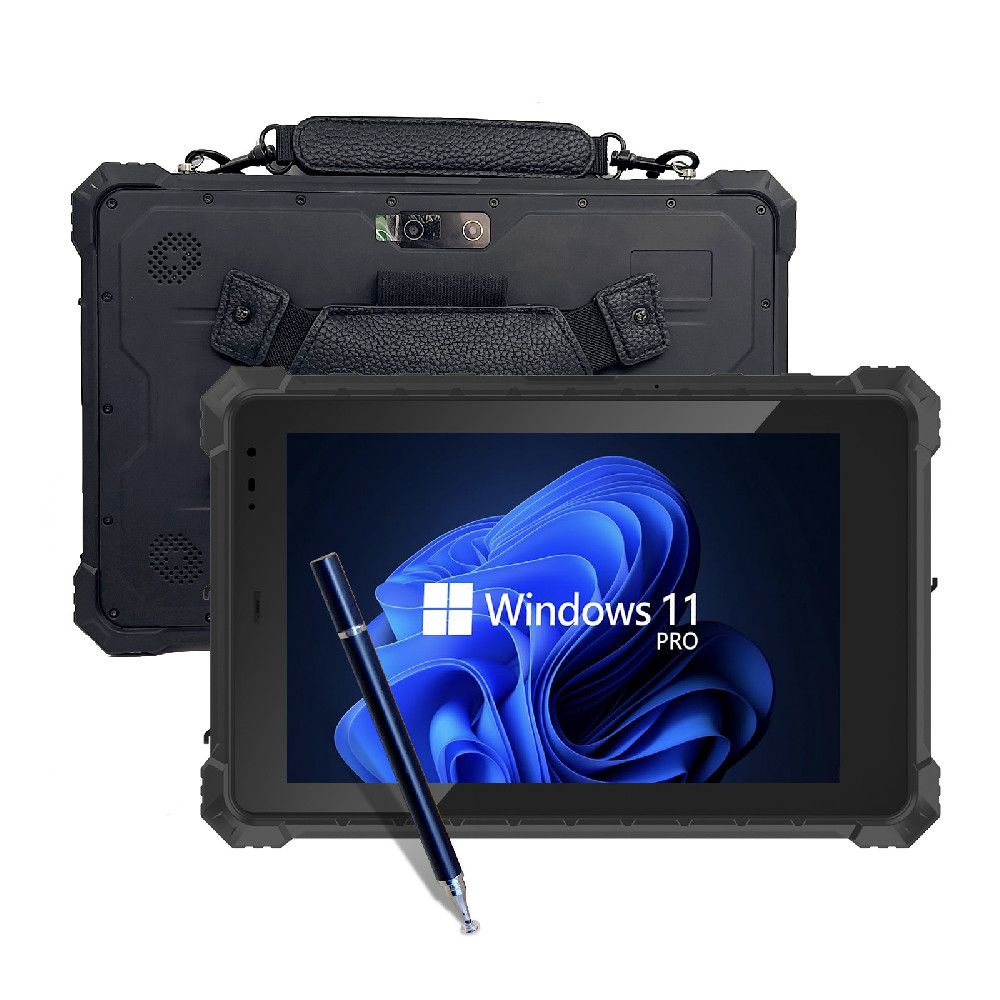
1. CENAVA W10Y Rugged Tablet
Best Rugged Tablet for Architects and Engineering Applications
CENAVA W10Y is a Windows rugged tablet designed for industrial professionals, architects, engineers, and construction teams who require reliable computing in outdoor environments.
Unlike consumer tablets, CENAVA rugged tablets are built for long-term industrial deployment with optional connectivity modules and customized configurations.
Specifications
| Feature | Specification |
| Display | 10.1-inch rugged touchscreen |
| Resolution | 1920 × 1200 |
| Processor | Intel Core processor options |
| Operating System | Windows 11 Pro |
| Memory | Up to 16GB RAM |
| Storage | Up to 256GB SSD |
| Touch | 10-point capacitive touch, glove support |
| Connectivity | WiFi, 4G LTE, optional modules |
| Application | CAD, BIM, construction inspection |
CENAVA currently offers Windows rugged tablets including W10Y and W18Y models, with options such as 4G/5G, NFC, fingerprint, and industrial expansion modules.
Best Applications
Suitable for:
Architectural site inspection
CAD drawing review
Construction management
Engineering documentation
BIM project communication
2. Panasonic Toughbook G2
Best Premium Windows Rugged Tablet
Panasonic Toughbook G2 is a fully rugged Windows tablet designed for demanding professional environments.It provides high durability, sunlight-readable display, hot-swappable batteries, and enterprise-level connectivity.
Specifications
| Feature | Specification |
| Display | 10.1-inch WUXGA |
| Brightness | 1000 nits |
| Processor | Intel Core Ultra 5 |
| Operating System | Windows 11 Pro |
| Protection | Fully rugged design |
| Drop Protection | 6-foot drop |
| Battery | Hot-swappable |
| Best For | Enterprise construction projects |
3. Getac ZX10 Rugged Tablet
Best Android Rugged Tablet for Field Work,Getac ZX10 is designed for mobile workers who need Android flexibility and rugged durability.
Specifications
| Feature | Specification |
| Display | 10.1-inch |
| Operating System | Android |
| Protection | IP66 |
| Certification | MIL-STD-810H |
| Connectivity | WiFi / 4G / 5G |
| Input | Touch + Stylus |
| Best For | CAD, BIM, construction inspection |
4. Dell Latitude 7030 Rugged Extreme
Best Enterprise Windows Tablet,Dell Latitude Rugged Extreme tablets provide Windows performance and enterprise management capabilities.
Specifications
| Feature | Specification |
| Display | 10.1-inch rugged touchscreen |
| Processor | Intel Core i5/i7 |
| Operating System | Windows 11 |
| Protection | IP65 |
| Security | Enterprise management |
| Best For | Engineering teams |
5. Samsung Galaxy Tab Active5
Best Lightweight Rugged Tablet,Samsung Galaxy Tab Active series provides a lightweight rugged Android solution for mobile professionals.
Specifications
| Feature | Specification |
| Display | 8-inch class display |
| Operating System | Android |
| Protection | IP68 |
| Stylus | S Pen support |
| Battery | Replaceable battery |
| Best For | Mobile inspection |
Rugged Tablet Comparison for Architects
| Model | OS | Protection | Key Advantage | Best Application |
| CENAVA W10Y | Windows | Industrial Rugged | Customization & OEM support | Architecture & Engineering |
| Panasonic Toughbook G2 | Windows | Fully Rugged | Premium durability | Enterprise projects |
| Getac ZX10 | Android | IP66 | Field reliability | Construction inspection |
| Dell Latitude 7030 | Windows | IP65 | Enterprise ecosystem | Engineering teams |
| Samsung Active5 | Android | IP68 | Lightweight design | Mobile workers |
Rugged Tablets for CAD and BIM Workflows
Modern architects use rugged tablets not only for communication but also for professional design workflows.
A suitable architectural rugged tablet should support:
AutoCAD
Drawing review
Markup
Measurement
Revit BIM
BIM model checking
3D visualization
Project coordination
Construction Documentation
Site reports
Digital signatures
Inspection records
About CENAVA
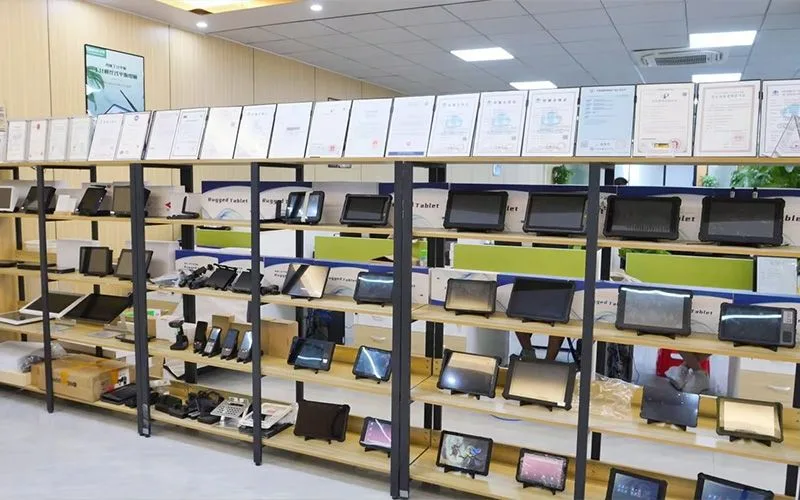
Case Study 1: Rugged Tablet for Construction Site Inspection
Customer Challenge
Architects and engineers needed a mobile computer that could work outdoors under sunlight, dust, and changing weather conditions.
CENAVA Solution
CENAVA rugged tablets provide:
- High brightness display
- Glove touch support
- Long battery operation
- Wireless connectivity
- Rugged protection
Result
Teams can review drawings, annotate plans, and update project information directly at construction sites.
Case Study 2: BIM Model Review in Field Operations
Application
Architects use rugged tablets for:
- BIM model visualization
- 3D building review
- Engineering communication
- Digital documentation
FAQ
What is the best rugged tablet for architects?
The best rugged tablet for architects should combine CAD/BIM compatibility, high-performance hardware, sunlight-readable display, stylus support, and industrial protection.
Can rugged tablets run AutoCAD and Revit?
Yes. Windows rugged tablets with Intel processors can run professional architecture software including AutoCAD, Revit, SketchUp, and BIM applications.
Why do architects need rugged tablets?
Answer: Architects working on construction sites need rugged tablets because they can withstand dust, water, vibration, drops, and outdoor conditions.
What IP rating is recommended for construction tablets?
For construction environments, IP65 or higher protection is recommended to protect devices from dust and water exposure.
Are rugged tablets better than normal tablets for architects?
Yes. Rugged tablets provide better durability, longer product lifecycle, and higher reliability compared with consumer tablets in industrial environments.
Need a Rugged Device for Your Project?
Tell us your operating environment and requirements — our engineers will recommend a configuration and quote within 24 hours.
Get a Free Quote Back to Blog