-1.jpg)












.jpg)











Industrial Android PDA Maintenance: A 7-Point Field Checklist for Harsh Environments
We recently reviewed return data from two logistics fleets running the same CENAVA A55GT units. Fleet A, eighty devices, had no maintenance protocol beyond 'charge it overnight.' Fleet B, sixty devices, followed the checklist below. Over twelve months, Fleet A racked up eighteen hardware failures — swollen batteries, corroded pogo pins, cracked scanner windows. Fleet B had four. The hardware was identical. The only variable was whether anyone treated the PDA as a tool that needs care, not just a phone that happens to be yellow.
1. Why Preventive Maintenance Pays
A rugged handheld costs 3–5× a consumer smartphone, but total cost of ownership is decided after purchase. Industry field-service data consistently shows that unmanaged handheld fleets run 15–20% annual failure rates, while fleets on a documented maintenance program run in the 3–5% range.The arithmetic for a 100-unit fleet:
No program: ~18 failures/year × (repair + downtime + replacement device)
With program: ~4 failures/year + ~2 hours/month of technician time
The program pays for itself in the first quarter. That is the entire business case.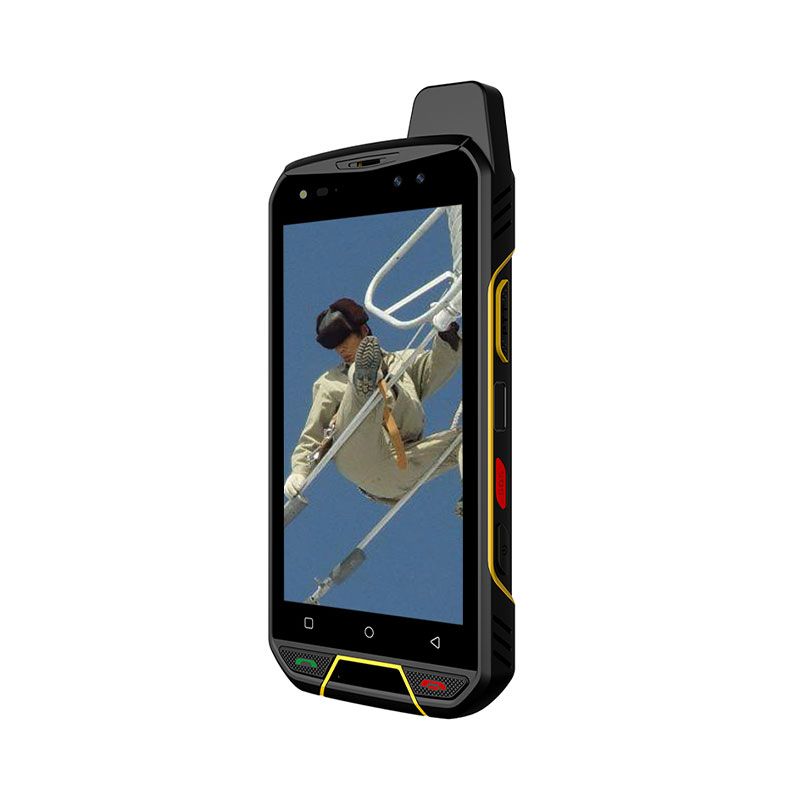
2. Daily Care (Per-Shift, 90 Seconds)
| Step | Do | Do NOT |
|---|---|---|
| Screen & housing | Wipe with 70% isopropyl alcohol wipe | Use bleach, ammonia (Windex), acetone, or ketone-based solvents — they craze the polycarbonate and degrade gaskets |
| Scanner window | Dry microfiber only; check for scratches | Scrape with fingernails or dry paper towel |
| Charging pins / pogo contacts | Dry brush; inspect for green/white oxide | Spray liquid directly onto contacts |
| Port covers | Confirm every cover is fully seated before the device leaves the charging dock | Leave USB-C flap open "just for this shift" |
| Handstrap / holster | Check stitching and clip tension weekly | Carry the device by the strap alone |
3. Battery: The 20–80 Rule
Lithium-ion cells in industrial PDAs are rated for roughly 500 charge cycles to 80% of design capacity. How you use those cycles decides whether you get 18 months or 4 years.
Operate between 20% and 80% state of charge. A full 0→100% cycle stresses the cell 3–4× more than a 40→80% partial cycle.
Never store below 20%. A cell left at 0% for weeks can enter deep discharge and refuse to accept charge at all.
Storage charge = 40–60%, in a dry place at 10–25°C.
Charge temperature window: 0°C to +40°C. Charging a battery below freezing causes lithium plating — permanent, irreversible capacity loss. This is the #1 killer of cold-storage PDA fleets.
Replace at 80% design capacity, not at failure. Budget for a battery swap at month 18–24 on a two-shift operation.
Only original CENAVA batteries and chargers. Third-party cells frequently lack the correct NTC thermistor and protection IC — the device cannot read true cell temperature and will charge into a fault condition.
>Warning signs demanding immediate removal from service: swelling (device back plate no longer sits flat), runtime dropped >40% from new, charging pauses and resumes repeatedly, device hot to the touch when idle.4. Ingress Protection: Seals Are Consumables
An IP68 rating (per IEC 60529) means the device survived a defined dust and immersion test when new and correctly sealed. It is not a permanent property.Monthly seal inspection, 3 minutes per device:
Open every port cover. Look for grit, fiber, or dried liquid in the gasket channel.
Clean the channel with a dry, soft brush — never a metal pick, never water under pressure.
Check the gasket for compression set (a permanently flattened, shiny groove) or nicks.
Confirm the cover clicks positively closed. A cover that closes "softly" is no longer sealing.
Log the inspection against the device serial number.
Replace gaskets annually in wash-down, food-processing, or chemical environments. Treat them as a consumable line item, like tires.If the device gets soaked: power it off immediately, do not charge, remove the battery if user-removable, dry at room temperature for 24 hours. Do not use rice, do not use a heat gun, do not use compressed air (it drives water deeper past the seal).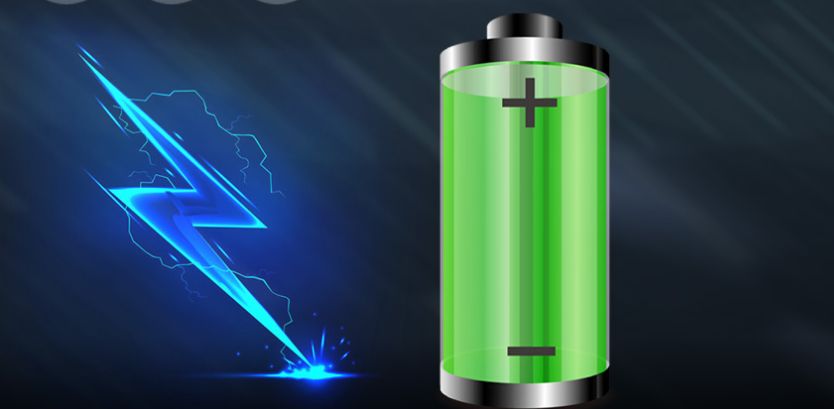
5. Drop and Shock Protection
Rugged PDAs are typically tested to MIL-STD-810H Method 516.8, which specifies 26 drops onto plywood-over-concrete at a defined height (commonly 1.2 m or 1.5 m for handhelds). Here is what operators actually get wrong in the field:
The rating is for a device with its factory bumpers intact. A cracked corner bumper voids the drop envelope.
Repeated drops accumulate damage even when nothing visibly breaks — solder joints and connector shields fatigue.
Inspect corner bumpers and screen bezel weekly; replace a cracked bumper the same day.
A tempered-glass screen protector is a sacrificial layer. It costs a few dollars; the touchscreen assembly costs 30–40% of the device.
6. What NOT to Do (Warranty-Voiding Mistakes)
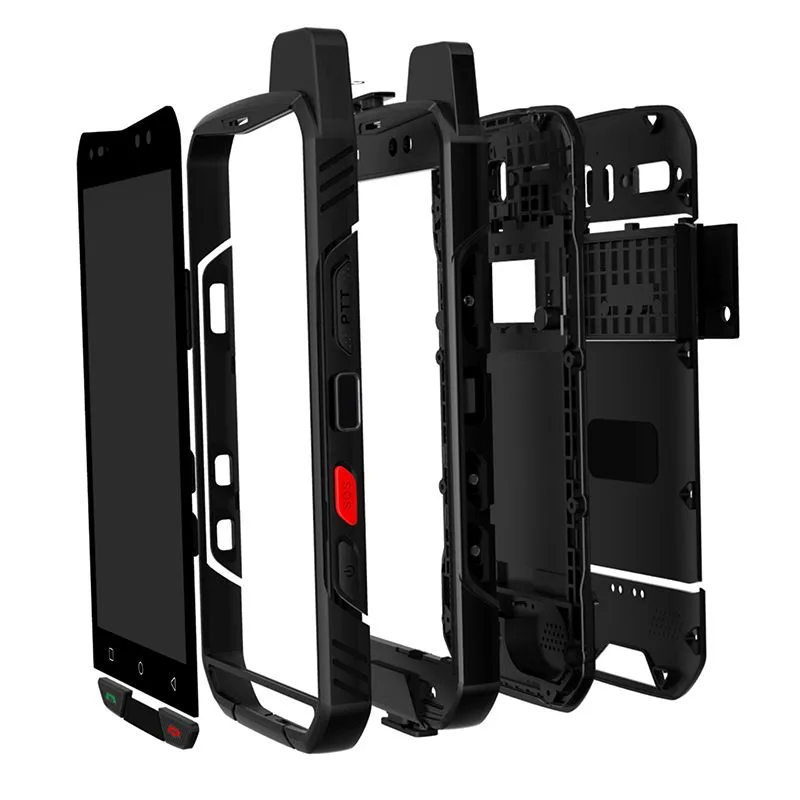
Opening the sealed housing. The gasket compression set is achieved at the factory with a calibrated torque sequence. Once you break it with a consumer screwdriver, the device is no longer IP-rated — permanently.
Using non-original batteries or chargers.
Pressure-washing a device rated for immersion but not for high-pressure jets (IP68 ≠ IPx9K).
Hot-swapping the battery while the device is writing to storage.
Ignoring a swollen battery. This is a fire risk, not a performance issue.
Opening the sealed housing in a classified hazardous area. If the device carries ATEX or IECEx certification, the explosion protection relies on the integrity of the sealed enclosure. Removing the battery cover in a Zone 2 environment — even to swap a dead battery — violates safety protocol and can void site insurance. Always perform any maintenance outside the hazardous area.
7. CENAVA Industrial Android Devices: Model Comparison
CENAVA has manufactured rugged computing hardware in Shenzhen since 2010, shipping to distributors and OEM/ODM partners in over 40 countries. The models below cover the common industrial Android data-capture use cases.| Model | Form Factor | Display | OS | Memory | Connectivity | Scanning | Typical Use |
|---|---|---|---|---|---|---|---|
| A55GT | Rugged handheld / PDA | 6.5" | Android | — | 5G, WLAN, BT, GPS | Optional | Field service, logistics, mobile inspection |
| W65G | Rugged handheld / PDA | 6.5" | Windows | 8 GB + 128 GB | 4G LTE | Built-in 2D | Sites standardized on Windows / legacy .NET clients |
| A10ST | Rugged tablet | 10" | Android 13 | 8 GB + 128 GB | 4G LTE | Optional | Vehicle-mount, workshop; RJ45 + RS232 onboard |
| A109T | Rugged tablet | 10.95" | Android 14 | 8 GB + 128 GB | 4G LTE | Optional 2D | Warehouse, inventory, latest Android security baseline |
| H7A | Box PC | — | Android / Linux | 2 GB + 32 GB | — | — | Fixed-station scanning, kiosk, line-side terminal |
Frequently Asked Questions
Q: How long should an industrial Android PDA last?A: A rugged Android PDA on a documented maintenance program typically delivers 4–5 years of service life, with one battery replacement at around month 18–24. Without maintenance, expect 18–24 months total.
Q: How often should I clean an industrial PDA?
A: Clean the screen, scanner window, and housing after every shift using a 70% isopropyl alcohol wipe. Inspect the port seals monthly and replace the gaskets annually in wash-down or chemical environments.
Q: Can I use alcohol wipes on a rugged PDA screen?
A: Yes — 70% isopropyl alcohol is safe on industrial-grade displays and housings. Never use bleach, ammonia-based glass cleaner, acetone, or ketone solvents; they craze polycarbonate and degrade the IP gaskets.
Q: What is the correct way to charge an industrial PDA battery?
A: Keep the battery cycling between 20% and 80% state of charge, charge only within 0°C to +40°C ambient, and store spare batteries at 40–60% charge. Charging below freezing causes permanent lithium plating and capacity loss.
Q: Is an IP68 PDA waterproof forever?
A: No. IP68 describes performance when new and correctly sealed. Grit in the gasket channel, a cracked port cover, or a housing that has been opened will all reduce real-world ingress protection. Seals are consumables, not permanent features.
Q: Can I open my PDA to replace a part myself?
A: No. Opening the sealed housing breaks the factory gasket compression, permanently voids the IP rating, and voids the warranty. Only user-serviceable items — battery, screen protector, bumpers, handstrap — should be changed in the field.
Q: Why does my PDA battery drain so fast in the cold?
A: Lithium-ion chemistry loses effective capacity at low temperature — a cell can show a 20–30% runtime drop at −20°C. This is normal and reversible. Persistent runtime loss at room temperature, however, indicates cell degradation and requires replacement.
Q: How often should I update the Android OS on a PDA fleet?
A: Apply security patches on a fixed quarterly window: pilot on 5 units, validate the scanner SDK and WMS client, then roll out fleet-wide via your EMM. Never allow ad-hoc auto-updates on production devices.
Q: Does CENAVA provide OEM/ODM customization for Android PDAs?
A: Yes. CENAVA supports custom I/O (RS232, RJ45), scanner module selection, OS image pre-loading, branding, and packaging for OEM/ODM partners.
Partner with CENAVA
CENAVA has built rugged tablets, handhelds, and box PCs in Shenzhen since 2010, supplying distributors, system integrators, and OEM/ODM partners worldwide. If you are specifying a handheld fleet — or trying to figure out why your current one keeps failing — send us the environment parameters and we will tell you honestly whether our hardware is the right fit.Need a Rugged Device for Your Project?
Tell us your operating environment and requirements — our engineers will recommend a configuration and quote within 24 hours.
Get a Free Quote Back to Blog