-1.jpg)












.jpg)











Intel-Powered Rugged Tablets: W10Y vs W109U Guide
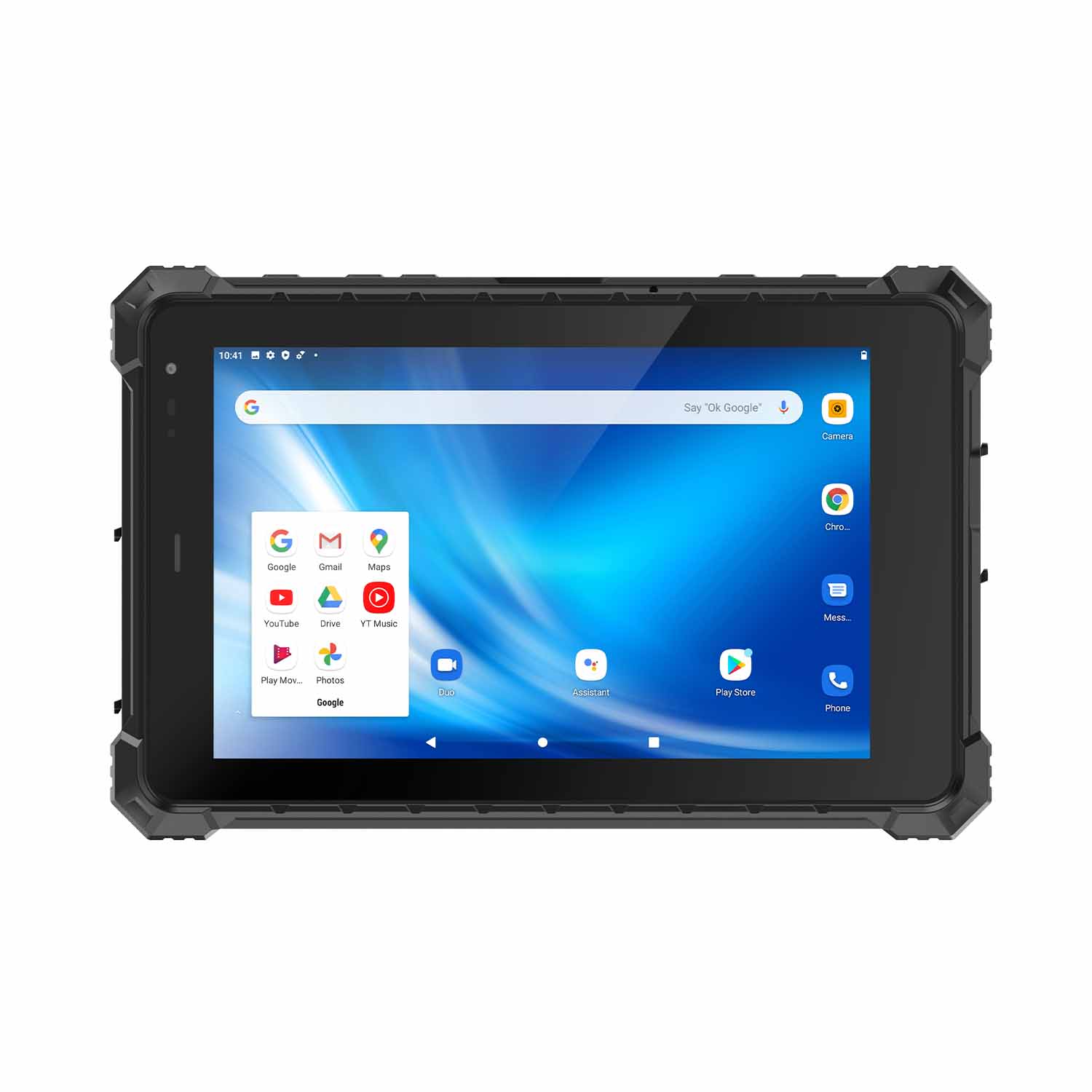
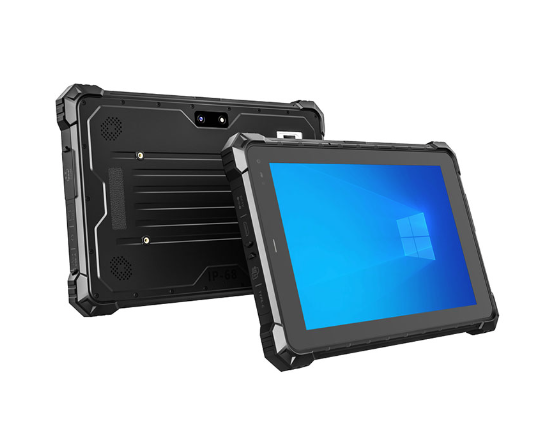
CENAVA's Intel-based rugged tablets cover two performance tiers. The W10Y runs a fanless Intel Core i5-10210Y (10th gen, low-power) in a fully sealed IP68 enclosure — no vents, no dust ingress path. The W109U steps up to i5-1235U or i7-1255U (12th gen) with active cooling and a removable battery.
The difference is not just speed. It is whether your workflow can live with one app at a time, or whether your technician needs a CAD viewer, a browser-based MES client, and a Teams call running simultaneously without the UI stuttering.
Industrial rugged tablets increasingly need to run full Windows software — CAD viewers, legacy ERP clients, engineering tools — not just Android apps. That's where Intel-based CPUs matter: they bring genuine x86 compatibility and multi-tasking headroom to a rugged, IP-rated chassis.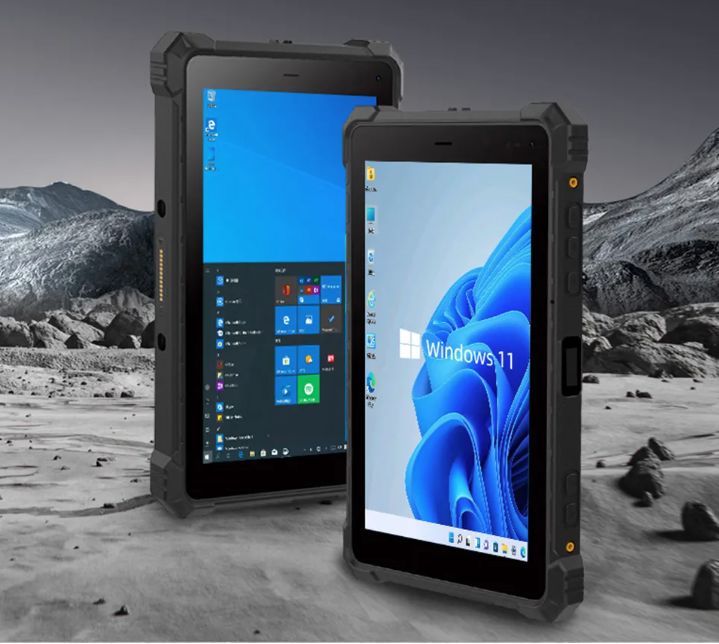
Android tablets dominate mobile data capture. Intel-based rugged tablets exist for everything else.
CENAVA's Intel-Based Rugged Tablets: W10Y and W109U
Before comparing specs: The W10Y and W109U use different Intel CPU generations and tiers. They are not interchangeable. Specifically, the W10Y does not have a confirmed i7 option — its CPU is the i5-10210Y only. If your workflow needs genuine i7 performance, the W109U is CENAVA's model with that option.
W10Y — Fanless 10th-Gen Intel i5, IP68 Sealed Design
CPU: Intel Core i5-10210Y (10th generation, fanless, low-power — well suited to a fully sealed IP68 enclosure without active cooling)
RAM/ROM: 8GB+128GB / 16GB+256GB
Display: 10" IPS, 1920×1200, 700cd/㎡
Battery: 3.8V / 10,000mAh (38Wh), sealed. In typical use — 50% brightness, Wi-Fi on, barcode scanning every 30 seconds — this runs approximately 8–10 hours. It is not removable; the unit must return to a dock for charging.
Protection: IP68, -20°C to 60°C operating
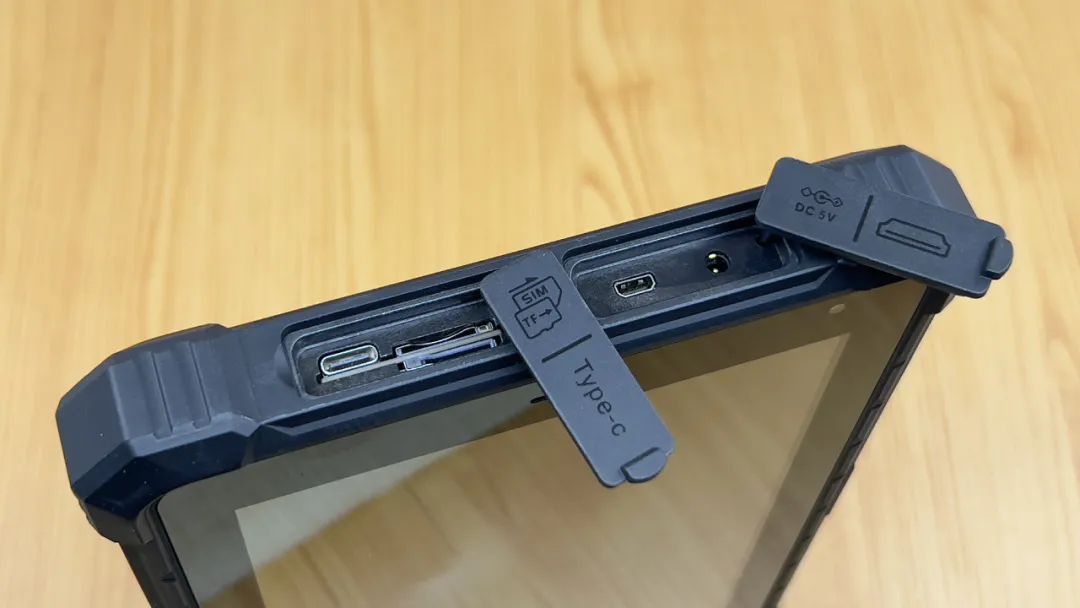
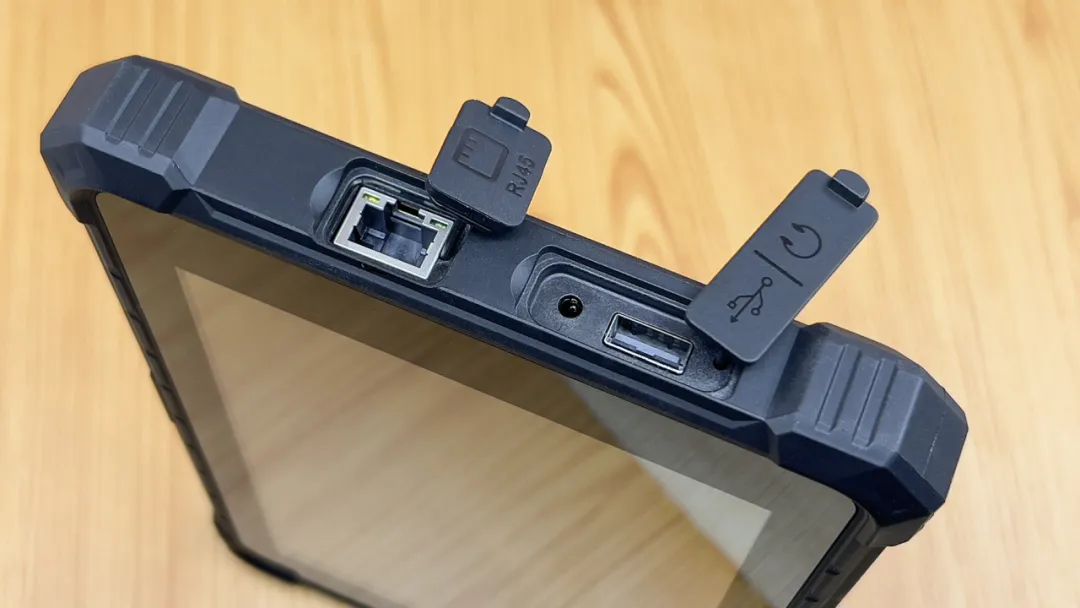
Ports: Type-A, Type-C, HDMI, POGO Pin
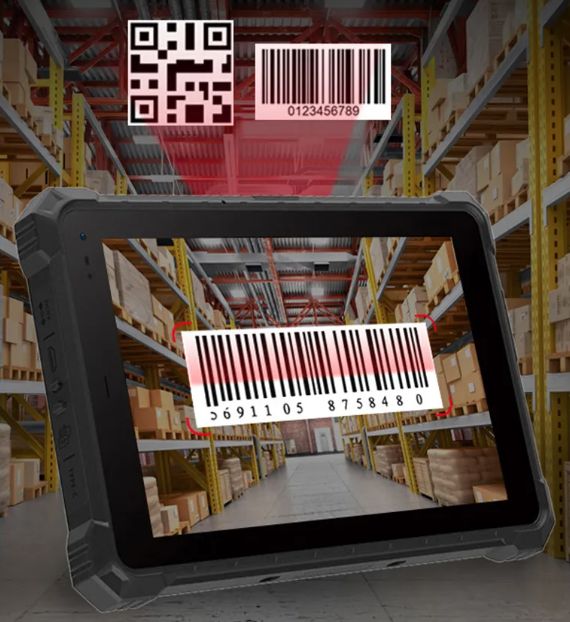
Optional modules: ID card recognition, 1D/2D barcode scanning, HF/UHF RFID, NFC, fingerprint recognition; optional 2G/3G/4G/5G cellular module
Explosion-proof: Optional factory build only — not standard. If your site requires ATEX/IECEx/CCRI/MA-KA certification, specify the exact standard and zone rating on your PO. Do not assume the badge on the brochure applies to your specific unit. For the dedicated certified product range, see CENAVA's ATEX & IECEx line.
CPU: Intel i5-1235U or i7-1255U (12th generation — meaningfully more headroom than the W10Y's fanless i5-10210Y)
RAM/ROM: up to 16GB+256GB / 32GB+1TB / 48GB+2TB
Battery: 7.4V / 8,300mAh (61.4Wh) removable, plus 300mAh built-in backup for hot-swap. At full CPU load — CAD viewer + browser + background sync — expect 5–6 hours. For all-day use, carry a charged spare; swap takes under 15 seconds without shutting down.
Protection: IP67
Cooling: Active fan. The W109U is not fully sealed like the W10Y; it vents heat through a filtered path. This is the trade-off for 12th-gen performance. In dust-heavy environments, establish a filter cleaning schedule — typically monthly in quarry conditions.
W10Y vs W109U: Which Fits Your Application?
| Factor | W10Y | W109U |
|---|---|---|
| CPU generation/tier | Intel i5-10210Y (10th gen, fanless) | Intel i5-1235U / i7-1255U (12th gen) |
| Protection | IP68 | IP67 |
| Battery | Sealed 10,000mAh | Removable 8,300mAh + built-in backup |
| Best for | Sealed-enclosure use cases, moderate compute loads (data capture, inspection apps) | Heavier compute loads (CAD viewing, multi-app engineering workflows, data analysis) |
Rich Interfaces and Module Expansion
Three common configurations
Warehouse receiving: W10Y with 2D barcode module + NFC employee ID tap. The IP68 seal survives wash-down after a shift in a food-processing facility. The sealed battery means no ingress path through a battery door — but also means the device must dock overnight.
Field engineering: W109U with i7-1255U, 32GB RAM, 1TB SSD. Runs AutoCAD viewer + Chrome-based MES client + Teams simultaneously. The removable battery lets the technician swap mid-day without losing the open drawing. The 180° stand props the tablet on a tailgate for markup with the stylus.
Hazardous area inspection: W10Y with ATEX optional build, HF RFID for equipment tagging, fingerprint reader for operator authentication. The fanless design eliminates spark risk from a cooling fan motor — relevant in Zone 2 petrochemical environments.
Why Choose CENAVA for Intel-Based Rugged Computing?
CENAVA designs and manufactures rugged tablets in Shenzhen, with in-house control over industrial design, hardware, and software. This matters for two reasons: first, module configurations (barcode, RFID, fingerprint) can be built at factory rather than added by a third-party integrator; second, when a custom OS image or driver is needed for your MES client, the engineering team that built the board can build the image, not just forward a ticket.
The limitation: CENAVA is not Getac or Panasonic. If you need a global depot-replacement network with next-day service in 40 countries, these are not the right devices. If you need a specific configuration at a specific price point, with direct access to the engineering team, they are.
Frequently Asked Questions
Is the W10Y explosion-proof certified as standard?
No. Explosion-proof is an optional factory build. Specify the exact standard (ATEX/IECEx/CCRI/MA-KA) and zone rating on your PO. See CENAVA's dedicated ATEX line for pre-certified configurations.
Can CENAVA customize either model for our workflow?
Yes — with limits. CENAVA can configure modules, preload your OS image, and adjust the touch profile for glove thickness. What they cannot do: redesign the motherboard for a non-standard CPU, or validate your custom software against your internal security policy. Bring your MES client APK or Windows installer to the scoping call; the engineering team will tell you within 48 hours whether the integration is straightforward or needs a workaround.
Why does the W109U weigh 300g more than the W10Y despite having a smaller battery?
Three reasons: the 12th-gen CPU and cooling assembly add mass; the 180° stand mechanism is metal, not plastic; and the removable battery housing needs structural reinforcement. The weight difference matters if the device is carried on foot for hours; it does not matter in a vehicle mount.
Choose W10Y if:
Your environment is wet, dusty, or chemically washed down
Your workflow runs one primary app (inspection form, barcode capture, RFID logging)
You do not need to swap batteries mid-shift
You can accept ~6,200 PassMark performance
Choose W109U if:
Your technician runs CAD, browser MES, and communication apps simultaneously
You need hot-swap batteries for continuous two-shift coverage
The device lives in a vehicle mount or controlled indoor environment
You need i7 performance for data-heavy tasks
If neither fits: Contact CENAVA with your app list, environment spec, and daily duty cycle. If the W10Y or W109U is the wrong starting point, they will say so — and suggest whether a custom build or a different vendor makes more sense.
Need a Rugged Device for Your Project?
Tell us your operating environment and requirements — our engineers will recommend a configuration and quote within 24 hours.
Get a Free Quote Back to Blog