













































-1.jpg)












.jpg)









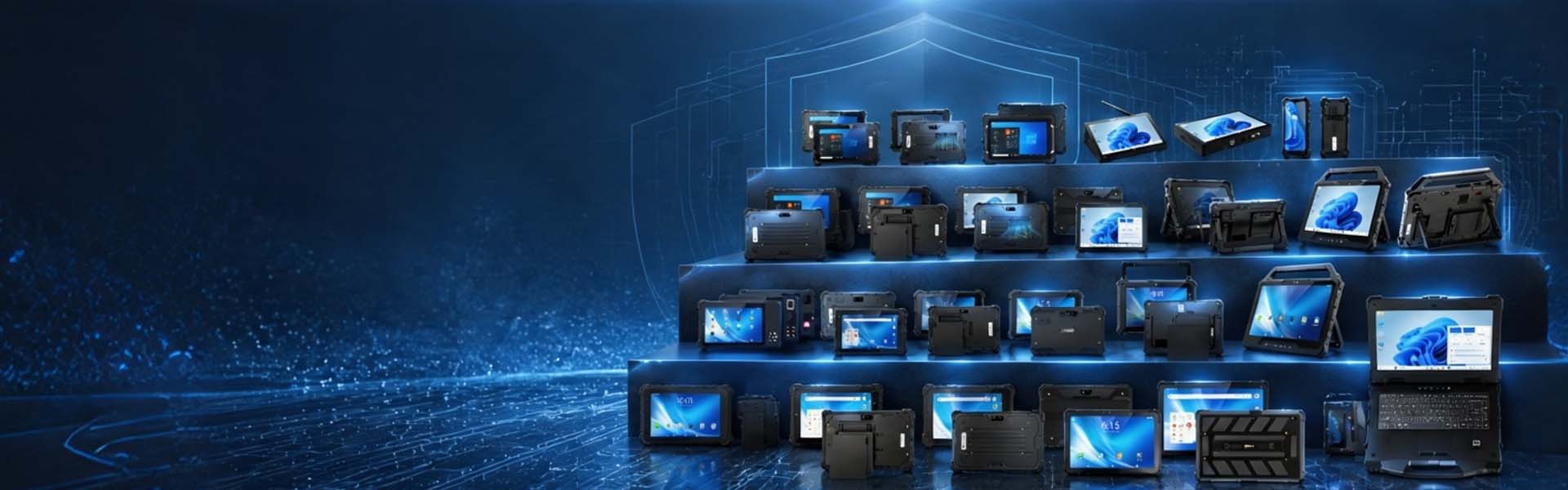
Public Safety & Emergency
Rugged Mobile Computers for Police, Fire, EMS & Emergency Response
Police officers, firefighters, EMS personnel and incident-management teams need access to digital information outside controlled office environments. CENAVA rugged tablets and laptops provide mobile computing platforms for vehicle-based dispatch, field reporting, electronic patient care records, incident command, mapping and other public-safety workflows.
Per model, the build sheet we quote can run from Windows or Android through IP-rated sealing, MIL-STD-810H-tested durability, high-brightness displays, glove touch, GNSS, 4G/5G, TPM security hardware, fingerprint readers and vehicle docks.
Tell us the environment, software, security policy and vehicle — we match the device to all four.
Why Public-Safety Computing Requires More Than a Consumer Device
Public-safety personnel may use a computer while working in:
- Rain
- Dust
- Direct sunlight
- Darkness
- Moving vehicles
- Roadside environments
- Emergency scenes
- Temporary command posts
- Hot or cold outdoor conditions
The device may also be shared across shifts and connected to systems containing sensitive operational, criminal-justice or patient information.
A failure in the field can interrupt access to dispatch details, maps, reports or clinical records.
No computer is guaranteed never to fail. What you can do is cut the avoidable risks — spec the hardware to the environment, the security policy, the applications it will actually run.
Rugged Hardware for Field and Vehicle Operations
CENAVA provides rugged Windows and Android devices for mobile and vehicle-based applications.
Models across the range carry IP65, IP67 or IP68 ratings and are drop-tested per MIL-STD-810H, Method 516.8, Procedure IV.
Current rugged-tablet configurations, for example, include products with documented 1.22-meter MIL-STD-810H drop testing, while protection ratings vary by model.
Treat the two ratings as separate tests. We quote each one per model.
An IP rating describes defined protection against ingress of dust and water.
MIL-STD-810H includes environmental test methods that can address conditions such as shock, vibration or temperature, depending on the tests actually performed.
Neither specification means that the equipment is indestructible or suitable for every emergency environment.
Police Mobile Data Terminals
Patrol vehicles increasingly function as mobile information workstations.
In a patrol car, a rugged Windows tablet or laptop handles:
- Computer-aided dispatch access
- Call information
- Mapping and navigation
- Field reporting
- Records-system access
- Citation applications
- Vehicle information
- Incident documentation
We spec the whole vehicle installation, not just the computer:
- Mounting position
- Driver visibility
- Power supply
- Docking
- Cable routing
- Wireless connectivity
- Screen brightness
- Nighttime usability
- Peripheral requirements
The final installation should also follow the agency's vehicle-safety and equipment policies.
Mobile Dispatch and Situational Information
Mobile devices can provide responders with information before they arrive at a scene.
Matched to the agency's software, the device shows:
- Dispatch details
- Street maps
- Building information
- Unit status
- Hydrant or infrastructure locations
- Incident notes
- Response plans
GNSS fixes the position. Cellular moves the data — where coverage exists.
However:
GNSS does not guarantee continuous positioning, and 4G/5G does not guarantee continuous network availability.
Coverage can be affected by buildings, terrain, network congestion and local infrastructure.
Public-safety software should therefore define appropriate degraded-network or offline behavior.
Fire and Incident Command
At fire and emergency scenes, rugged tablets run command and coordination:
- Incident command
- Resource tracking
- Mapping
- Pre-plan access
- Building information
- Hydrant information
- Inspection records
- Situation reporting
- Photo documentation
It is important to distinguish these applications from interior structural firefighting.
A conventional rugged tablet should not be taken inside a burning structure — interior firefighting exposes it to heat, smoke and water beyond any rugged-tablet rating.
The operating-temperature specification, hazardous-area classification and actual use location must be evaluated separately.
Where an incident involves a classified explosive atmosphere, the appropriate certified hazardous-area equipment should be considered instead of a standard rugged tablet.
EMS and Electronic Patient Care Reporting
EMS teams can use rugged tablets for electronic patient care reporting and related field workflows.
In the back of an ambulance, our tablet covers:
- Patient information entry
- Assessment documentation
- Vital-sign recording
- Treatment records
- Medication documentation
- Signature capture
- Transport information
- Hospital destination information
A rugged tablet can provide a durable interface for the ePCR application, but the hardware itself does not make an EMS deployment “HIPAA compliant.”
Where electronic protected health information is involved, the organization must implement appropriate administrative, physical and technical safeguards for the complete system. HHS specifically recognizes mobile-device use for ePHI when appropriate safeguards are implemented.
Patient Data Security
An EMS device may contain or access sensitive patient information.
Deployment controls worth specifying:
- User authentication
- Device encryption
- Application access control
- Automatic locking
- MDM management
- Remote wipe
- Secure network communication
- Application updates
- Audit controls
The exact requirements depend on the organization's security architecture and regulatory obligations.
Hardware features such as TPM or fingerprint recognition can support this security architecture, but they do not replace it.
Law-Enforcement Data Security
Law-enforcement applications may access Criminal Justice Information.
For U.S. deployments subject to the FBI CJIS Security Policy, security is not simply a device certification.
CJIS mobile-device requirements include controls around device authentication, encryption, system integrity, software management and other security measures. The current FBI policy specifically requires encryption of CJI stored on applicable wireless devices and local authentication for authorized mobile-device access.
CJIS compliance belongs to the whole system, not the device. What CENAVA hardware contributes is the foundation it is built on: TPM-based key storage, fingerprint authentication options, disk-encryption support and MDM-manageable configurations. Your agency or integrator assembles these into a CJIS-conformant architecture — and we provide the hardware documentation your compliance review asks for.
TPM Security Hardware
Selected CENAVA Windows tablets include a built-in TPM security chip.
For example, current W10Y, W10N, W18Y and W109U configurations list TPM capability.
Our TPM chip handles:
- Secure key storage
- Device trust
- OS security features
- Disk-encryption key protection
Actual encryption should still be configured and managed by the organization's operating-system and security policies.
A TPM-equipped device should therefore not automatically be advertised as having an “encrypted SSD.”
Fingerprint Authentication
Fingerprint modules are available on selected CENAVA rugged devices.
For example, W109U provides login fingerprint functionality and additional fingerprint options, while other tablets offer fingerprint modules as optional configurations.
Biometrics can reduce the need to type a password repeatedly in the field.
But decide up front whether biometrics meet your authentication policy, and how they pair with:
- PINs
- Passwords
- Certificates
- MFA
- Application-level authentication
Fingerprint hardware alone should not be presented as complete security compliance.
Smart Cards and Agency Credentials
Selected CENAVA tablets can be configured with optional ID-card readers. Card support is specific: contact vs. contactless, reader interface, driver and middleware all depend on the agency's credential system. Send us your card type and authentication application, and we confirm reader compatibility on the exact model before quotation.
An optional ID-card reader is not automatically the same thing as support for:
- PIV
- CAC
- Contact smart cards
- Agency authentication cards
For projects that require smart-card authentication, confirm the card type, reader interface, driver and middleware before quotation.
Displays for Day and Night Operations
Public-safety devices may be used under very different lighting conditions.
During daytime vehicle or outdoor operation, higher display brightness can improve visibility.
Our tablets carry 700 cd/m² panels, with 1000 cd/m² on high-brightness builds.
Nighttime use creates the opposite requirement.
Very high brightness can distract the operator or affect dark adaptation.
A public-safety deployment should therefore evaluate low-brightness dimming and night-mode behavior, rather than assuming that "sunlight-readable" automatically means ideal nighttime performance.
Night mode is a hardware feature, not a software filter — if your officers work night shifts, verify the shortlisted model has a dedicated low-nit panel before you order.
Glove and Wet-Hand Operation
Police, fire and emergency personnel may need to interact with devices while wearing gloves or working in rain.
Selected CENAVA rugged tablets support glove touch, while wet-hand touch is available on selected configurations.
Real-world touch performance depends on:
- Glove material
- Glove thickness
- Water conditions
- Screen settings
Where agencies use specialized fire, medical or winter gloves, the actual glove should be included in pilot testing.
GNSS for Position and Navigation
Multi-constellation GNSS on our rugged devices combines:
- GPS
- BeiDou
- Galileo
- GLONASS
On the ground that means:
- Vehicle navigation
- Unit-location applications
- Incident mapping
- Field reporting
- Location-tagged work records
For example, current W10Y supports GPS, BeiDou, Galileo and GLONASS.
Standard GNSS should not be presented as a guaranteed public-safety tracking system.
The final location solution also depends on application software, antenna conditions, satellite visibility and communications architecture.
4G and 5G Connectivity
Selected CENAVA devices are available with cellular connectivity, including 4G and selected 5G configurations.
A cellular link carries:
- Dispatch synchronization
- Mapping
- Report submission
- Database access
- ePCR synchronization
- Video or image upload
- Remote support
But cellular hardware does not guarantee communications availability.
Before rollout, test:
- Carrier coverage
- Required LTE/5G bands
- SIM architecture
- VPN requirements
- Private/public network configuration
- Failover procedures
The radio configuration should be confirmed for the country, carrier and public-safety network being used.
Vehicle Docking
A patrol car, ambulance or command vehicle may use a rugged tablet as both a portable device and a mounted terminal.
Selected CENAVA product families provide POGO docking interfaces, charging docks, vehicle chargers or vehicle docks.
What the dock adds depends on the accessory and tablet:
Docking options vary by tablet family and provide charging, mounting, USB and peripheral connections. If your vehicle installation requires external-antenna pass-through, state it in the inquiry — it is a dock-level feature that we validate for the specific dock model, not something included by default.
Electronic Evidence and Field Documentation
In the field, our tablet documents:
- Photographs
- Incident notes
- Witness information
- Damage records
- Inspection records
- Scene documentation
However, the tablet itself does not establish an evidentiary chain of custody.
Chain of custody lives elsewhere. It lives in the application and backend — they control:
- User identity
- File integrity
- Timestamps
- Metadata
- Upload procedures
- Access
- Retention
- Audit history
This is especially important if photographs or video may later form part of an investigation or legal proceeding.
Incident Command and Emergency Management
Large incidents may require temporary command posts with access to multiple information sources.
At the command post, a rugged Windows tablet or laptop puts up:
- Mapping
- Resource status
- Incident logs
- Weather information
- Building information
- Camera systems
- Communications applications
- Situation reports
Larger displays and physical keyboards may be useful at fixed command positions.
Smaller rugged tablets may be more appropriate for personnel moving around the scene.
One device format does not need to serve every role.
Rugged Laptops for Vehicle and Command Use
We point agencies to a rugged laptop when the job needs:
- Physical keyboard
- Windows desktop applications
- Multiple USB ports
- Ethernet
- Serial communication
- Larger storage
- Extended report writing
That makes it the right tool for:
- Patrol vehicles
- Mobile command vehicles
- Incident command
- Equipment configuration
- Technical support
The exact CPU, memory and I/O requirements should be matched to the agency's software stack.
Rugged Tablets for Mobile Responders
A rugged tablet can be better suited to responders who split a shift between the vehicle and the scene, because it can be carried away from the vehicle while still functioning as a mounted terminal when an appropriate docking solution is available.
Battery Planning
Long emergency operations can extend beyond a normal work shift.
Battery planning starts with:
- Display brightness
- Cellular use
- GNSS
- Cameras
- Application workload
- Ambient temperature
- Vehicle charging availability
Selected CENAVA models offer large-capacity, removable or hot-swappable battery designs depending on model.
For example, W109U uses an 8300 mAh removable main battery with a hot-swap architecture.
This should not be generalized across the entire product family.
Round-the-clock agencies also plan for:
- Vehicle charging
- Dock charging
- Spare batteries
- Spare devices
- Shift-change procedures
Cybersecurity and Device Management
Public-safety mobile security involves more than physical ruggedness.
NIST has published specific security guidance for first-responder mobile and wearable devices and emphasizes that mobile technology can introduce additional security vulnerabilities into public-safety operations.
Cover these in the deployment plan:
- MDM
- Patch management
- Application allowlisting
- Remote wipe
- Authentication
- Encryption
- VPN
- Certificate management
- Configuration control
- Device inventory
For large deployments, these requirements should be defined before hardware standardization.
How to Select a Rugged Computer for Public Safety
1. Start With the Application
Identify the main workload:
- CAD / dispatch
- RMS
- ePCR
- Incident command
- Field reporting
- Mapping
- Evidence documentation
Then confirm the operating system and computing requirements.
2. Define the Operating Environment
Determine whether the device will be used primarily:
- Inside a vehicle
- Outdoors
- At an incident command post
- In rain
- Around dust
- In extreme temperatures
Do not specify unnecessary ruggedness simply because the device is for public safety.
3. Determine the Security Requirements
Identify whether the system will access:
- Criminal Justice Information
- Patient information
- Internal agency systems
- Public networks
- Sensitive photographs or records
Then determine the appropriate encryption, authentication, MDM and application controls.
4. Define the Vehicle Architecture
Confirm:
- Mount type
- Dock
- Power input
- USB requirements
- Ethernet requirements
- External peripherals
- Cable routing
Do this before selecting the tablet.
5. Confirm Cellular Requirements Specify the deployment country, carrier and public-safety network before ordering cellular hardware.
6. Validate Day and Night Display Use Test the display at full daylight and after dark, under representative operating conditions.
7. Run an Operational Pilot
We run the pilot on real workflows:
- Login time
- Dispatch application
- Mapping
- Report entry
- ePCR
- Cellular handoff
- Vehicle docking
- Battery runtime
- Glove touch
- Night use
- Device management
A hardware specification alone cannot validate the operational workflow.
Procurement and Long-Term Deployment
Public agencies frequently use longer procurement and replacement cycles than consumer IT buyers.
This makes platform consistency and supply planning important.
Fleet deployments settle up front:
- Hardware configuration control
- OS lifecycle
- Driver availability
- Accessory continuity
- Replacement batteries
- Vehicle docks
- Spare devices
- Repair procedures
- Certification documents
- Environmental test reports
CENAVA can provide available documentation for the selected configuration and discuss long-term supply requirements during the project evaluation process.
Any specific supply duration or lifecycle commitment should be stated in the project agreement rather than presented as an unlimited product-line guarantee.
OEM and System-Integrator Support
Public-safety projects frequently involve software vendors, vehicle integrators and communications providers.
System integrators drive these projects. Per project, we configure:
- Hardware specification
- OS configuration
- Software-image preparation
- Device branding
- Optional modules
- Dock selection
- Connectivity configuration
- Packaging
Why Public-Safety Organizations Consider CENAVA
Talk to CENAVA About Your Public-Safety Project
Start with the operational workflow, not a generic "mission-critical" spec sheet. Send CENAVA six things — the application, operating system, operating environment, security requirements, vehicle architecture and project quantity — and we will come back with a rugged laptop or tablet configuration for your patrol, EMS, command or field-reporting workload, plus lead time and pricing.



