-1.jpg)












.jpg)











Rugged Tablet Brightness Guide: 400 vs 700 vs 1000+ Nits | CENAVA
What Is Screen Brightness (Nits) and Why It Matters
Rugged tablets are built to stay usable in lighting conditions that disable a consumer device — direct sunlight, glare off concrete or water, and everything in between. Screen brightness, measured in nits (cd/m²), is the intensity of light a display emits, and it's one of the most practical specs to get right for outdoor and industrial work: too low, and the screen becomes unreadable outdoors; unnecessarily high, and you're trading away battery life you didn't need to spend.Rugged tablets typically range from 400 to 1200+ nits, achieved through high-brightness backlighting or LED display technology well beyond what a standard consumer tablet offers.Which Brightness Level Fits Your Work Environment?
| Brightness Range | Best Suited For |
|---|---|
| 400–600 nits | Indoor use, warehouses, or dimly lit environments |
| 600–800 nits | Outdoor environments with weak or indirect light |
| 800–1000 nits | Ordinary outdoor conditions — cloudy days, partially shaded areas |
| 1000+ nits | Direct, strong sunlight — construction sites, outdoor sports, open-field work |
Real Customer Example: Choosing the Right Brightness
One CENAVA customer initially specified a 450-nit display for their project, assuming it would be sufficient. Based on the planned outdoor use case, CENAVA's sales team recommended upgrading to 700 nits instead — a change that made the on-screen content noticeably clearer outdoors and kept the device working efficiently in the field. The customer has continued working with CENAVA across multiple subsequent projects on the strength of that kind of applied, scenario-specific guidance — a good illustration of why brightness should be matched to actual field conditions rather than chosen by budget alone.CENAVA Rugged Tablet Brightness by Model
| Model | Brightness | OS |
|---|---|---|
| A10ST | 700cd/㎡ standard (1000cd/㎡ optional) | Android 13 |
| A109T | 700cd/㎡ standard (1000cd/㎡ optional) | Android 14 |
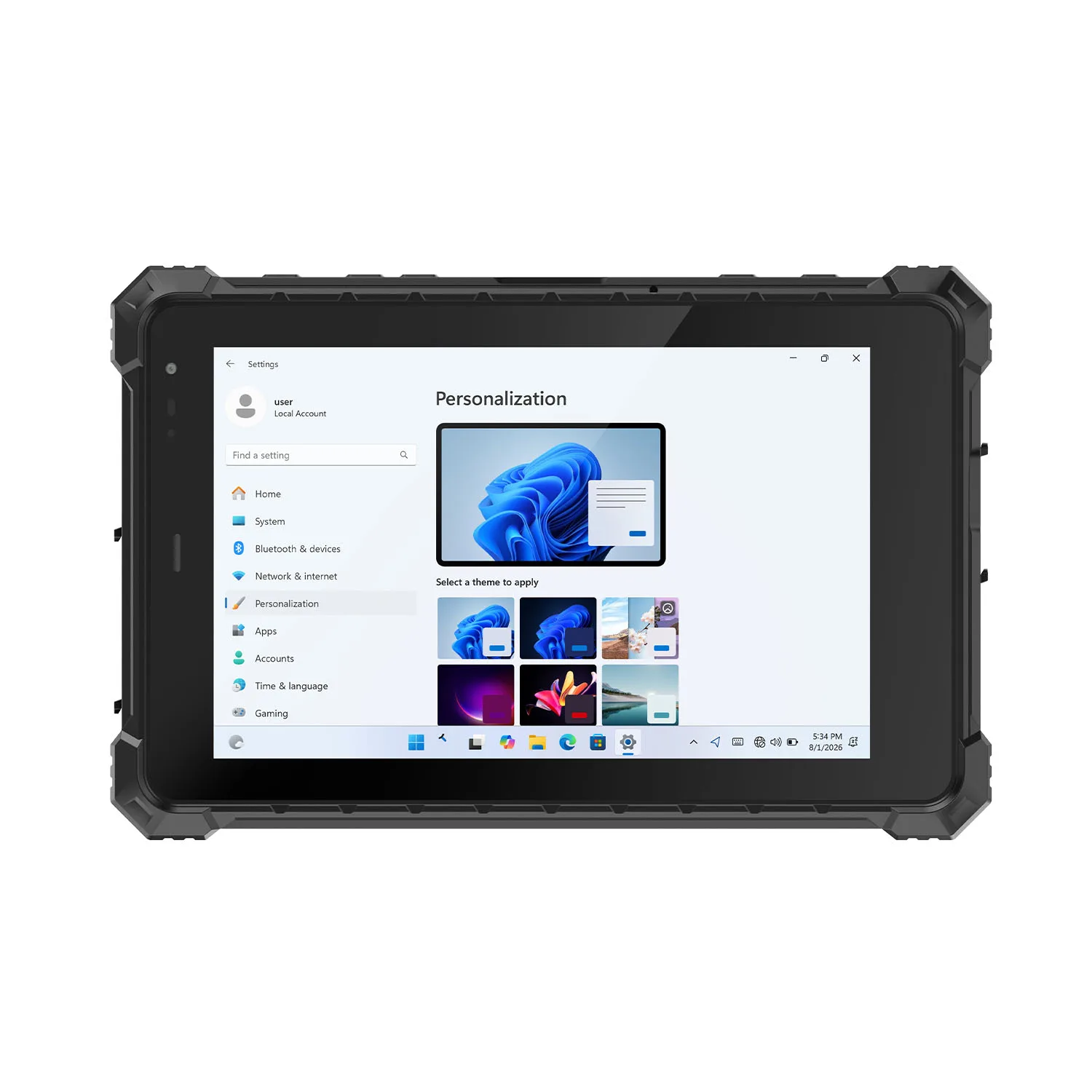
| W10Y | 700 nit | Windows 11 |
| W10N | 700 nit | Windows 11 |
Why Choose CENAVA for Sunlight-Readable Rugged Tablets?
CENAVA is a professional rugged tablet manufacturer with 18 years of R&D experience and 700+ enterprise clients worldwide, and brightness configuration is a routine part of matching a device to a customer's actual field conditions — as shown by the real customer example above. Rather than offering a single fixed brightness across the lineup, CENAVA configures display brightness (and other specs) to the environment a tablet will actually work in.Rugged tablets, also known as ruggedized tablets, are specialized tablets designed to withstand harsh environmental conditions and demanding usage in various industries. One important aspect of rugged tablets is the screen brightness, which plays a crucial role in ensuring visibility and usability in different lighting conditions.
The screen brightness of rugged tablets refers to the intensity of light emitted by the display. Higher screen brightness allows for better visibility in bright outdoor environments or direct sunlight, while lower brightness levels are suitable for dimly lit environments or night use.
Rugged tablets typically have enhanced screen brightness compared to regular consumer tablets. They are equipped with high-brightness displays that use advanced technologies such as backlighting or LED (Light Emitting Diode) illumination to achieve brighter screens. This allows users to view the screen clearly and easily, even in challenging lighting conditions.
The screen brightness of rugged tablets is usually measured in nits (cd/m²). Nits represent the measurement of light intensity emitted by the display. Rugged tablets often have screen brightness ranging from 400 to 1200 nits or even higher, depending on the specific model and manufacturer.
The brightness of Rugged Tablets is usually between 400 and 1200 nits or even higher, and the choice of brightness depends on the usage scenario.
Frequently Asked Questions
1. What brightness do I need for outdoor construction site use?1000+ nits is generally recommended for direct, strong sunlight conditions typical of construction sites and open outdoor work areas.2. Does higher screen brightness reduce battery life?
Yes — higher brightness settings draw more power, so it's worth matching your brightness spec to your actual typical working environment rather than always choosing the maximum available.3. What brightness does the A10ST come with?
The A10ST ships with a 700cd/㎡ display as standard, with a 1000cd/㎡ high-brightness option available for direct-sunlight use cases.4. Is 400 nits ever enough for a rugged tablet?
Yes — for indoor or dimly lit environments like warehouses or indoor facility work, 400–600 nits is typically sufficient and helps preserve battery life compared to a high-brightness panel you don't need.5. Can CENAVA customize brightness for a specific project?
Yes — CENAVA configures display brightness (along with other specs) to match a project's actual field conditions; contact CENAVA sales to specify the right brightness tier for your deployment.6. Are older CENAVA model names like S10PRO or W10J still current?
Not necessarily — some referenced in older marketing (such as S10PRO) are no longer active product pages; confirm current model availability (A10ST, A109T, W10Y, W10N, W109U) with CENAVA sales before ordering.
Conclusion
Choosing the right rugged tablet brightness comes down to matching the spec to where the device will actually be used — 400–600 nits indoors, 700–800 nits for typical outdoor conditions, and 1000+ nits for direct sunlight. CENAVA's current lineup (A10ST, A109T, W10Y, W10N) offers 700cd/㎡ as standard with higher-brightness options available, backed by 18 years of experience matching brightness and other specs to real field conditions.📩 Contact CENAVA today to specify the right screen brightness for your rugged tablet deployment.Need a Rugged Device for Your Project?
Tell us your operating environment and requirements — our engineers will recommend a configuration and quote within 24 hours.
Get a Free Quote Back to Blog